The Day I Mended My WordPress Blog, Conversing with ChatGPT | My Journey Automating YouTube Statistics via API
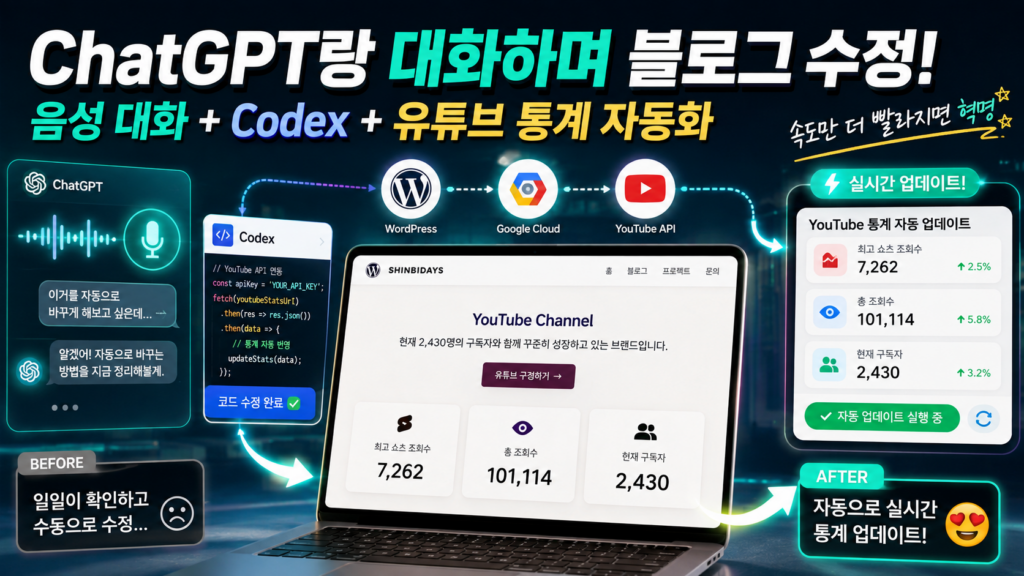
Voice Chat + Codex + YouTube Stats Automation
Hello, this is ShinbiDays 🙂
Today, I updated my blog in a really fascinating way.
I didn’t type out commands line by line on a keyboard, nor did I spend hours digging through developer documentation to write code.
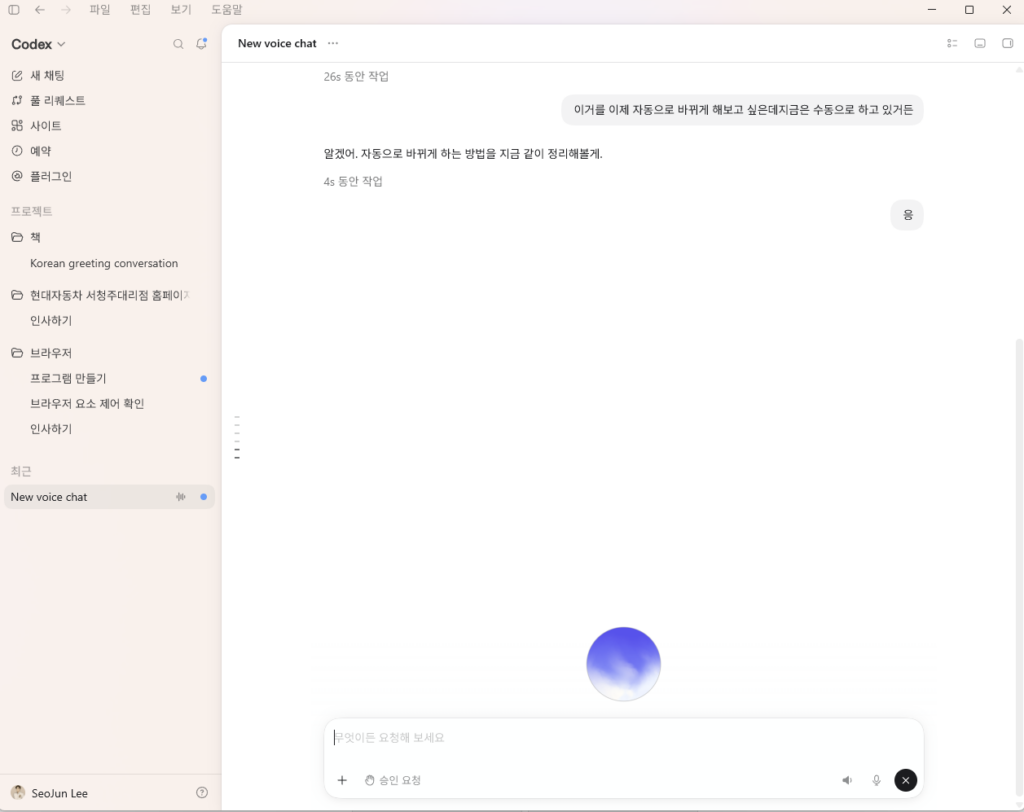
I simply turned on ChatGPT’s Voice Chat feature and spoke directly with Codex, the coding assistant AI, to edit my WordPress blog.
“I want to automatically update this number.”
“Even if I edit the text later, keep updating the number.”
“Show me what you see on the screen right now.”
I literally talked like that—just having a comfortable conversation as if explaining it to someone sitting next to me.
What surprised me was how naturally it connected what I said earlier with what I was saying in the moment to take the next step.
If you look at the text transcripts saved from voice chats, sometimes words get mangled or sentences look awkward.
However, during the actual voice conversation, it understood what I meant quite accurately, and the flow was much smoother than what the text logs showed.
Most surprisingly, it wasn’t just giving me coding instructions; it felt like I was actually fixing a real website together with an AI partner.
ChatGPT Voice Chat: As Natural as Talking to a Real Person
Voice AI in the past felt more like rigid turn-taking. 🫠
“Hello. How are you doing today?”
“Yes, I am listening.”
It used to be a strict one-question, one-answer routine.
But ChatGPT Voice Chat felt different this time.
When I paused mid-sentence, it waited patiently. Even when my thoughts weren’t perfectly organized, it grasped the context and followed along seamlessly.
If a question popped up while working, I could ask right away. If I changed my mind while listening to its explanation, I could pivot the direction mid-way.
Since I could share photos and screen views, I didn’t have to explain complex visuals with words alone; we could discuss while looking at the screen together.
For this task, I selected the Sol voice.
Because of its calm and relaxed tone, the whole conversation felt comfortable.
At moments, it almost felt like consulting a real person, or directing an assistant sitting right beside me.
“Change this number automatically.”
“Wait, I might edit the phrasing later.”
“Then make sure only the number updates separately.”
Being able to exchange thoughts so naturally was quite amazing in itself.
However, as the task got longer, there were moments when processing slowed down a bit.
I wasn’t sure if it felt slower because the Sol voice itself is so calm and relaxed, or if it simply needed time to process multi-step instructions all at once.
Still, if speed improves just a little more, working with AI via voice is going to be a game-changer.
What is Codex?
Simply put, Codex is an AI agent designed to assist with coding tasks. 🤫
Rather than just suggesting a single line of code, it reviews the required structure, writes code, and fixes errors based on what you describe.
To put it even more simply:
A development partner that transforms plain spoken instructions into real, working code.
Even for someone without a formal background in coding, like myself:
“I want this number to update automatically.”
“Apply this to Korean, English, and Japanese pages.”
“Make sure it keeps working even if I edit the surrounding text later.”
You can describe your desired results in plain language like this.
Codex then finds the method to translate those requests into actual code structures.
Another great feature was that it didn’t just generate code; it could also perform various actions directly within a browser or program while looking at the screen.
So this time, I showed Codex the WordPress dashboard of ShinbiDays and explained that I wanted to automate the YouTube statistics display.
What are WordPress and Code Snippets?
WordPress is a system for creating and managing blogs or websites.
Beyond basic blog functions like posting articles and uploading images, you can build corporate websites, online stores, or portfolio sites using themes and plugins.
ShinbiDays is also built and operated on WordPress.
However, adding new features to a site sometimes requires custom code.
That’s where code snippets come in handy.
Think of a code snippet not as a long script that rebuilds an entire website, but as a short piece of code designed to add a specific feature.
For example, you can build features like:
- Automatically replacing specific phrases
- Executing a new action when a button is clicked
- Fetching information from external websites
- Automating repetitive manual tasks
This time, I used a WordPress plugin called WPCode to insert code that automatically fetches YouTube statistics.
Updating YouTube Stats Manually Every Time
The ShinbiDays homepage displays statistics from my YouTube channel:
- Current subscriber count
- Total view count
- Highest Shorts view count
The problem was that I had been updating these numbers manually all along. 🥲
Whenever subscriber counts grew or views changed, I had to log into the WordPress editor and update the numbers across Korean, English, and Japanese pages one by one.
Changing three numbers isn’t hard in itself.
However, doing it repeatedly became surprisingly tedious.
I might update the Korean page but forget the Japanese page, leading to inconsistencies between the website stats and actual YouTube data.
So I instructed Codex:
“I want to automate the YouTube stats.
Even if I modify the surrounding text later, make sure only the numbers keep updating.”
The key here was NOT replacing entire sentences automatically.
For instance, if the code targets an entire sentence like:
“Currently growing together with 2,430 subscribers.”
Slightly changing the phrasing later could cause the automation to break.
Therefore, I had it tag only the specific numerical values so that only those numbers would be swapped automatically.
This way, even if I tweak the tone or translate the sentence later, subscriber and view counts stay continuously updated.
Even though I explained this verbally, Codex caught my intent remarkably well. 🥳
What is an API, and Why Do We Need It?
The word “API” might sound intimidating at first.
Simply put, it’s a channel that allows different services to exchange data with each other.
WordPress natively has no idea how many subscribers I have on YouTube.
So it has to send a request to YouTube:
“Please give me the current subscriber and view count for this channel.”
YouTube verifies the request and sends back the latest data.
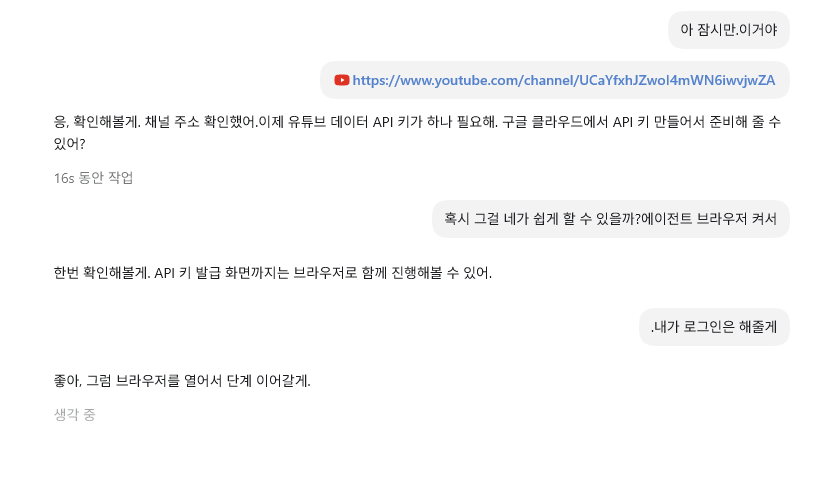
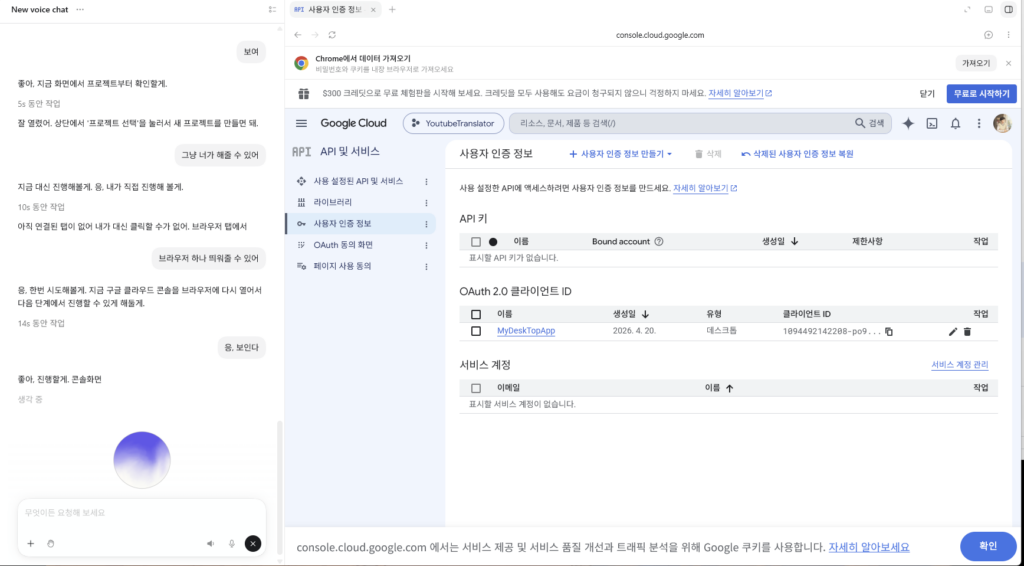
For this task, I enabled the YouTube Data API on Google Cloud, generated an API Key, and connected it to WordPress.
An API key acts like a digital pass.
It verifies who is requesting YouTube data and ensures the request is authorized.
When implementing it on a live site, it’s important to keep the API key secure and restrict its usage scope to only what is necessary.
Not Everything Went Perfectly
Of course, the process wasn’t 100% smooth from start to finish.
While Codex was navigating WordPress admin and entering the snippet, browser tabs kept closing unexpectedly.
I thought a task was completed, but in reality, the code hadn’t been saved yet.
When I asked,
“Did you edit it already?”
Codex clarified that it had only opened the editor screen and hadn’t applied the actual changes yet.
Browser tabs kept closing or inputs froze midway several times after that.
While voice interactions felt natural, carrying out long, complex browser operations still showed some instability.
In the end, I took the code Codex prepared and manually pasted it into the WPCode editor.
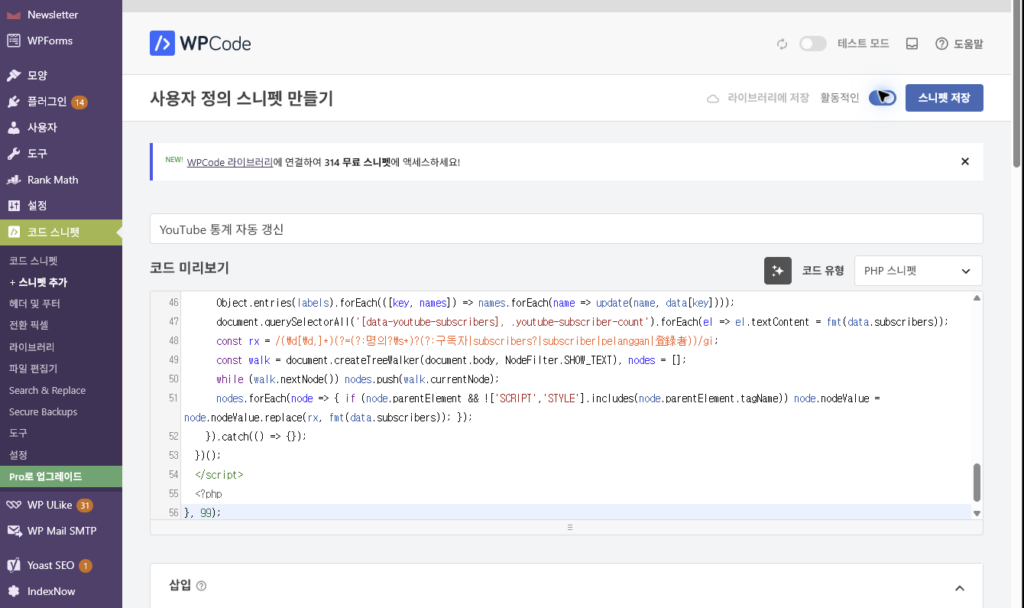
That part was a bit disappointing.
Its ability to view the screen, navigate browsers, and prepare code was amazing, but speed and stability over extended tasks still need refinement.
Unexpected tab closures made it hard to tell exact progress at times. Nevertheless, ChatGPT remains a reliable AI model, so aside from the slowness, it inspired confidence.
And Then, the Numbers Changed Automatically
After saving the code, I checked the website again.
The page that previously showed 85 subscribers was now updated to the real-time count of 2,430.
Total views and top Shorts views also refreshed based on actual YouTube data.
The updated stats reflected automatically across Korean, Japanese, and English pages alike.
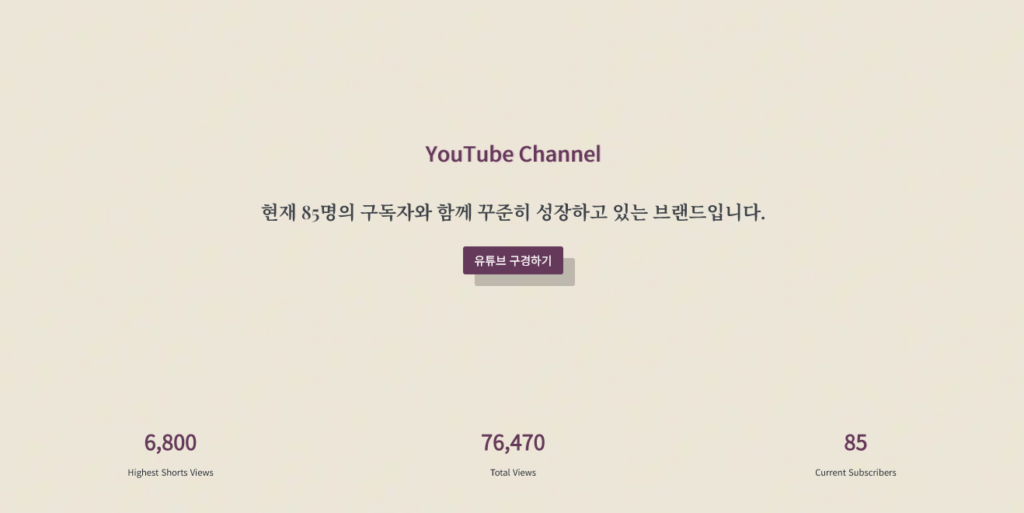
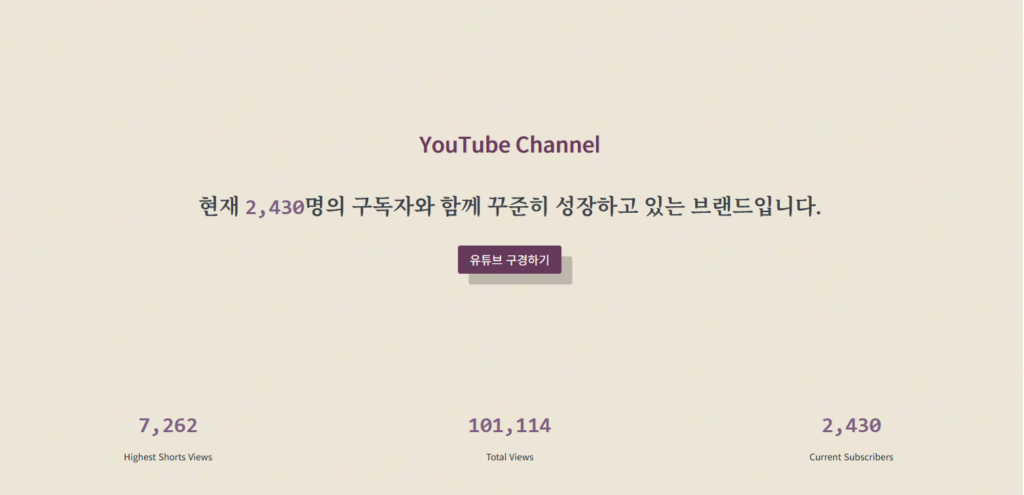
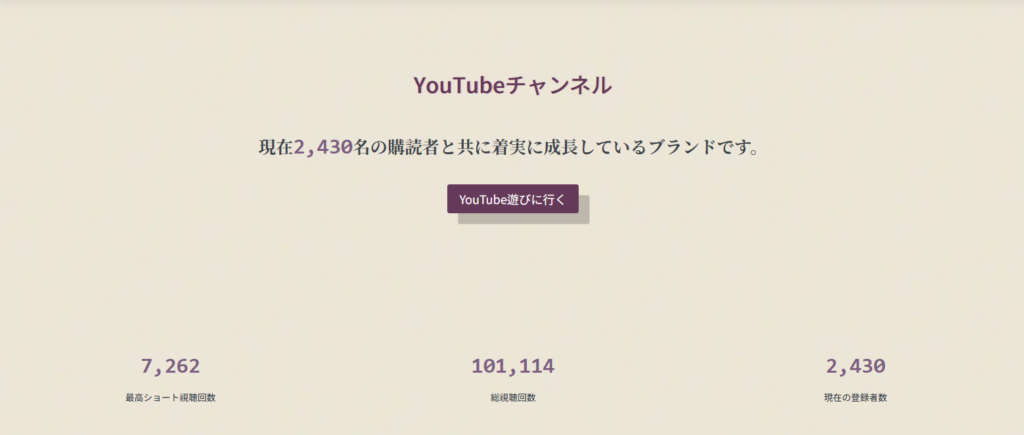
Now, even as subscribers or views grow, I won’t ever need to manually edit WordPress numbers again. 🙂↕️🥰
Whenever YouTube stats change, WordPress fetches the fresh data via API automatically.
It might seem like a small automation, but for a solo blog owner, it’s a huge shift.
A repetitive chore has completely vanished, and the displayed information is far more accurate.
Above all, it just felt so cool.
Numbers I used to type by hand until yesterday are now updating on their own in sync with YouTube.
When I saw the numbers refresh after saving the code, I couldn’t help but smile.
“Wow, this is really amazing..!”
AI is Evolving from a Simple Answering Tool into a Co-worker
What impressed me most wasn’t the code itself.
It was the entire process: explaining what I wanted in spoken words, reviewing the screen together, pivoting mid-way, and ultimately creating a working result.
Sure, there were slowdowns, tab closures, and occasional freezes.
In the end, I had to paste the code manually. 🙂
Yet, the direction is unmistakably clear.
AI is expanding from a tool that answers prompts or writes text into an active co-worker executing tasks directly on your screen.
The natural voice interaction made this shift feel even more dramatic.
You no longer need to type out long, precise commands on a keyboard.
“I want to change this part like this.”
“Make sure it keeps working even if I edit text later.”
“Is this saved properly right now?”
“Show me the screen.”
You can simply talk casually, just as you would with a human team member.
It genuinely felt like having a real-time developer assistant sitting right next to me.
With just a bit more speed and stability, the way we interact with computers is going to transform completely.
Non-programmers can bring their ideas to life, and solo creators can work with the support of dedicated developers or assistants.
Today, all I did was automate three numbers on a blog.
Yet the shift I witnessed went far beyond those three numbers.
An era where humans speak their desires, and AI translates them directly into code and interfaces.
It might still freeze, slip up, or make us wait occasionally.
Even so, today’s experience was nothing short of extraordinary.
Once speed catches up,
this won’t just be a handy feature—
it will be a truly revolutionary leap forward.
🙉🙊
Are you worried about AI taking over jobs as it evolves?
Check out the article below! 😘👇