From Starting VRChat to Emotional Connections – Moments More Real Than Reality [Part 1]
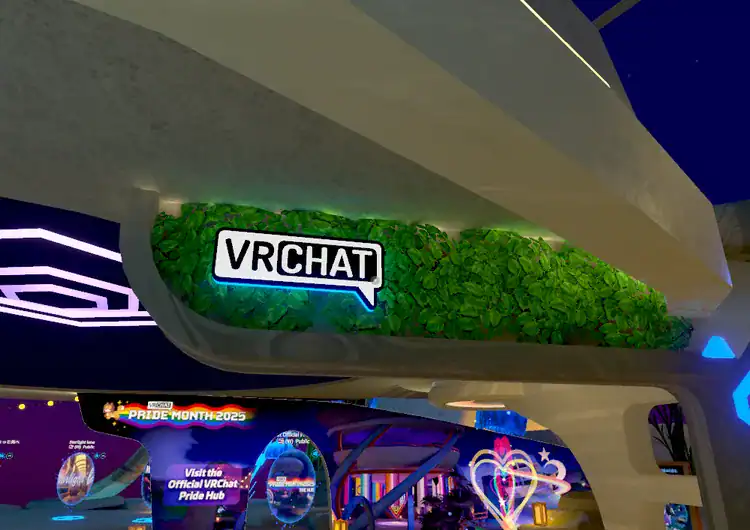
From Starting Out to burung imut, a Journey of Connection
🧭 What this post covers
🧚♂️ [Part 1] What is VRChat?
— A Mirror of the Digital World, Meeting Another Me
Have you ever imagined something like this as a child?
‘If I were living in another world, what would I look like?’
Such imaginings were usually only possible in cartoons or novels.
But one day, I happened to discover a world called ‘VRChat,’
and that imagination became a reality.
It started as mere curiosity,
but now this space has become a quiet shelter
that makes my day a little warmer.
🌐 VRChat isn’t just a game.
“It’s a life.”
This game is a social VR platform that has grown rapidly
since its official release on Steam in 2017.
It’s okay if you don’t have a VR device.
Anyone can connect using just PC Desktop Mode.
These days, various devices like Meta Quest and others are supported as well.
I pick an avatar, explore countless worlds,
talk with someone,
and sometimes just spend time looking at the sky there.
It really is, quite literally, another ‘life.’
🎭 An “Avatar” might not be a mask, but a real face.


The core of VRChat is the avatar.
When you first connect, you choose one of hundreds of avatars—
like a cute cat, a fairy, a robot, or a person—to move around in.
It’s easy to think of it as just an appearance,
but over time, emotions naturally seep into that avatar.
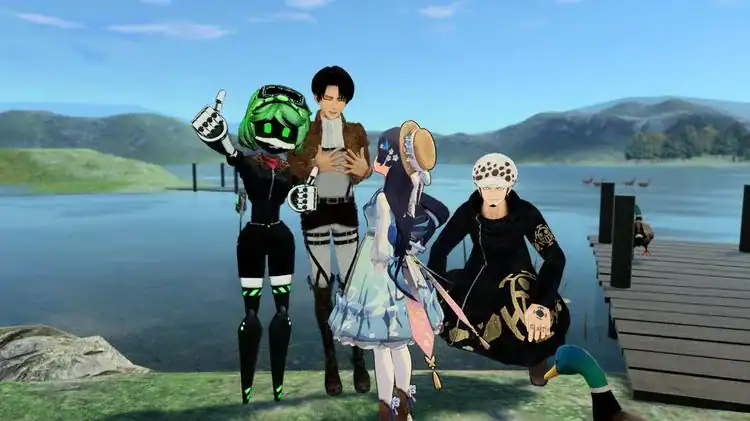
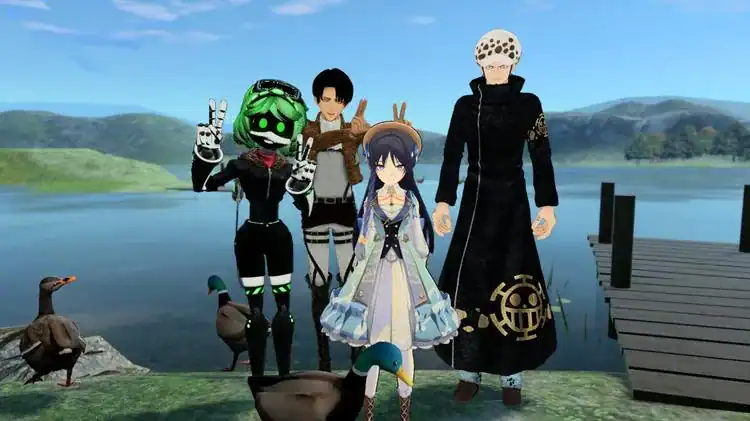
I often use ‘Levi,’ a character from the manga ‘Attack on Titan.’
I feel like I can have a different side of my personality in this form.
It’s a very simple reason,
but I think it holds a lot of meaning.
🧑🤝🧑 Here, age, gender, and appearance don’t matter.

Indonesian friends Qila and Togi
In the reality of Korea, there’s always a feeling that you have to ‘prove’ something to be recognized.
But here, those standards barely exist.
Middle schoolers, people in their 50s, men, and women
all talk based simply on ‘the emotions of this moment.’
Some days I explored the ocean with Indonesian friends,
and other days we cooked together.
We communicated through feelings rather than words.
I felt for the first time here that
‘even without words, the heart is conveyed.’
🪐 Thousands of Worlds, Endless Experiences

There are thousands of worlds in VRChat created by users themselves.
- A world for chatting in a hot spring
- A world for performing missions inside a spaceship
- A healing world for reading books in a cafe
- From counseling centers and wedding halls to theater stages, it’s truly diverse.
Those spaces are just graphics,
but the conversations and emotions shared within them
are often much more real than reality.
Sometimes I want to end my day like a meditation,
sitting on a quiet bench in a world and looking at the stars.
That was really… comforting.
My favorite world is ‘Indonesia.’
Here, I can learn the language by talking in Indonesian
with friends who have similar values.
I don’t think there’s anything as valuable as that in a game.
📈 When did VRChat start?

- Initial Beta Release: 2014
- Official Steam Release: 2017
- Explosive Popularity Post-Pandemic: Over 10 million users worldwide
- Major Communities: Korea, Japan, USA, Europe, etc.
Especially after the pandemic, when meeting in person became difficult,
people held weddings here, threw birthday parties,
and created counseling sessions or theater stages.
I even heard stories of funerals being held,
which was truly surprising.
💬 To me, VRChat is…
VRChat is ‘rest’ for me, not an ‘escape.’
By being comforted, laughing, and joking around there,
the emotions buried deep in my heart begin to unravel little by little.
There are certainly addictive aspects and things to be careful about,
but if you enjoy it while keeping a proper distance,
this world will be a much warmer place than you think.
🎮 [Part 2] From VRChat Installation to First Login
— A very easy beginner’s guide for those thinking, “Should I start too?”

When you first encounter VRChat, you might feel a bit awkward and find it difficult
along with vague expectations.
“Is this a game? Where do I download it?”
“Can I not play it without a VR device?”
For those trying for the first time like Seojun,
I’ll tell you everything today, from installation to login, very easily. 😊
✅ What devices can run VRChat?
This is the first thing people wonder about!
Actually, it’s okay even if you don’t have a VR device!
📌 3 Options
- PC (Desktop Mode) – Playable with mouse & keyboard
- VR Device (PCVR) – Oculus Rift, HTC Vive, etc.
- Meta Quest (Standalone VR) – Playable without a PC
I also first experienced it in PC Desktop Mode,
and later bought a Quest 3 to feel the real ‘immersion.’
Starting in PC mode is plenty of fun and allows for emotional exchange! 😄
▼ ‘Sky: Children of the Light,’ also available on mobile
🖥️ Installation Method – PC Version (The easiest way!)


- Run Steam after installation → Search for ‘VRChat’ in the store
- Press the [Free] button to install
- Run after installation is complete

It’s so simple, right?
When you first run it, a login screen appears.
VRChat can be linked with a Steam account,
but I recommend creating a dedicated VRChat account.
(Because your avatars, friends, and settings will be saved across other devices!)
📲 Installing on Meta Quest
- Search for ‘VRChat’ in the Quest Store
- A login window appears when you run it after installation
- Please log in with your ‘VRChat account’ (Important!)
The Quest is wireless, so you can move your body freely.
However, the graphic quality might be lower than PCVR,
and access to some worlds might be restricted.PCVR can be shared via wired connection or Air Link.
Unless your network performance is state-of-the-art,
I recommend purchasing a cable and connecting via wire!
🔑 How to create an account (It’s important!)

- Access https://vrchat.com
- Register your email & nickname, then check the verification email
- After logging in, activate avatar or friend functions

If your email isn’t verified, you might not be able to use some features,
so please! make sure to complete the verification email. 😆
🎭 First Login, and the First Impression

When you first log in,
you’ll start in a basic space like a ‘Home World.’
There, you choose an avatar and go through a simple tutorial.
You can walk, run, and talk freely,
but at first… it might feel a bit awkward and unfamiliar.
“Am I really here?”
You might get that kind of feeling.
But as you gradually get used to that feeling,
and someone comes up to talk to you,
or you meet another Korean speaker…
In that moment, you might feel something warmer than reality. 🌸
🎧 Microphone & Chat Settings (Please do this!)


- PC: Select microphone device in settings
- VR: Follow the Quest device’s own settings
- Recommended to turn OFF Push to Talk (So you can speak immediately when you want to)
If you can’t hear well or others can’t hear you,
check if the microphone icon at the bottom left of the screen is active!
💡 Tip: Don’t panic at first!
- Sometimes there are users who say strange things.
👉 You can just Block those people! - It’s okay to leave worlds that are too noisy quickly.
👉 I recommend slowly looking around starting from quiet worlds. - Don’t worry if there’s something you don’t know.
👉 There are many kind users inside the worlds!
🎭 [Part 3] Choosing a VRChat Avatar, Where Should I Start?
— “I want to use a cute and cool character too, how do I do it?”


When you first connect to this world, everyone starts with the same basic avatar.
But after just a little while,
you start thinking like this.
“Why is that person walking around as a cat?”
“Wow… that avatar is really cool. I want to change mine too…”
Yes, that’s right.
Avatars are the most important way to express yourself in this world.
Today, for those who have just started like me,
I’ll summarize everything from how to choose an avatar
to free sites and things to watch out for. 😊
1️⃣ Basic Avatars vs. Custom Avatars
- Basic Avatars: Characters provided by default within VRChat
→ Simple and decent, but they lack personality because everyone looks similar. - Custom Avatars: Cool and cute avatars made by others
→ You can get them in various ways, both free and paid. A truly infinite world!
I also walked around as a basic character at first,
but I remember being shocked one day when I saw a user wearing a cute cat avatar
and thinking, “What… is that?” 😳
That’s when the desire to collect avatars slowly starts to rise.
2️⃣ How to Find Avatars – Free is Plenty!

🔍 Finding in Avatar Worlds (The easiest way!)
- Search for ‘Avatar’ in VRChat Worlds
- Visit the ‘Prismic’s Avatar Search’ world
- Search for a character you like
- Click the character you want, then turn on the Mirror to check it out!
❌ Some avatars are ‘Adults Only’ and cannot be used!
🌐 Free Avatar Sites (For reference)
- Booth.pm – Japan’s largest avatar market (Various free/paid options)
- VRCMods.com – International avatar & world sharing site
- Sketchfab.com – Modeling platform, provides some dedicated characters
Booth is a Japanese site, but you can use it well enough with auto-translate!
From pretty anime-style avatars to bearded monsters… it’s really diverse.
3️⃣ How do I use custom avatars? (PC Only)
If you want to upload avatar files yourself,
you need to use a program called Unity.
It might be a bit complex for beginners,
but if you search for ‘VRChat avatar upload’ on YouTube,
there are many very kind guide videos!
4️⃣ Avatar Settings, Make Sure to Know These Too!


- Settings Location: Open Menu → [Avatars] Tab → Check my avatar list
- Register Favorites: Frequently used avatars can be saved like bookmarks!
- Beware of Bad Avatars: It’s best not to use avatars that cause screen glitches
or contain adult content.
Unsafe avatars can cause bugs, crashes, and unpleasant experiences.
Be careful because overly provocative ones… sometimes get reported!
5️⃣ Finding Your Style ✨

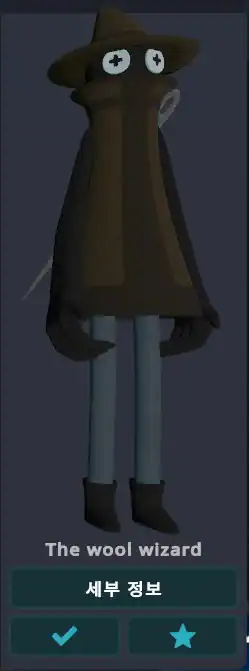

At first, everyone looks for ‘pretty avatars,’
but over time, your thoughts might change.
- If you like a quiet, healing style → Cute animal avatars
- If you want to do cool action acting → Ninja, robot types
- If you want to have friendly conversations → 3D anime style with rich expressions
I usually walk around in a shabby wizard character because it makes me feel comfortable.
It doesn’t have to look like you in reality.
Here, whatever you look like… your true heart is everything.
🗺️ [Part 4] VRChat World Recommendations & Beginner Courses
— “Is it okay to be alone?” Of course. There are spaces for people like that.

When you first enter a virtual space, it can feel like
being dropped alone in the middle of a huge city.
There are countless worlds,
and you might feel lost thinking, “Where should I go first?”
For those starting out like Seojun,
I’ll summarize
warm worlds, pretty spaces, and quiet healing places
where you can comfortably take your first steps. 😊
🌸 1. Sleeping World
— The quietest space, where it’s okay to be alone

As the name suggests, it’s a space with a sleeping atmosphere.
There are many places with blankets, cozy lighting,
white noise, and music in a dark room.
When you want to be alone quietly,
when your emotions are complex,
or when you just ‘don’t want to do anything,’
try entering these sleeping worlds.
✅ Recommended Keywords:
Sleeping,Nap,Dream,Calm
☕ There are also many worlds with a cozy coffee shop vibe or for watching stars under the night sky.
🏡 2. Home World / Mirror World
— A space to check your avatar and practice quietly

At first, controlling movements or expressions can be awkward.
In those times, it’s good to quietly check your avatar alone
in a world with a mirror.
🪞 Tip: Try searching for worlds that include the word ‘Mirror’!
Feel the charm of the metaverse little by little
while practicing your own acting, poses, and emotional expressions. 😊
🍃 3. Japan Shrine / Temple Worlds
— Healing worlds with serene Japanese shrine and temple themes

There are many places in the metaverse with shrines, temples, and walking paths that capture a Japanese aesthetic.
Most have calm natural sounds, clear scenery, and a quiet atmosphere,
making them perfect for beginners.
I also spend time in these worlds as if meditating.
The sound of birds, the wind, the rustling leaves…
It feels like a ‘garden of the heart’ that’s even quieter than reality.
🎉 4. The Black Cat
— The starting point for social spaces! Talk with users from all over the world

‘The Black Cat’ is a representative social world in VRChat.
In a space that looks like a cafe,
anyone can freely share conversations.
However, it can be hard to start a conversation and you might feel nervous when you first go.
In that case, it’s okay to just sit nearby and observe!
There are many cases where someone will come up and talk to you. 😄
✅ Tip: If turning on your voice is a burden at first,
you can greet people sufficiently with just gestures.
Waving your hand with a ‘Hi~🙋♂️’ vibe is understood by everyone!
🚀 5. Portal Hub / World Jump Station
— A place where you can see various worlds at a glance and move immediately
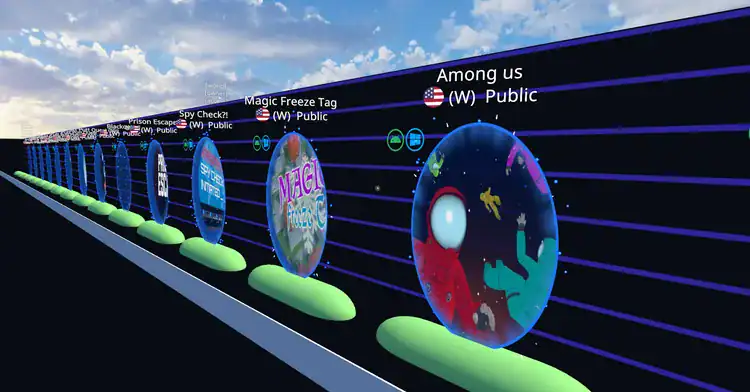
If it’s hard to search for worlds one by one,
try using the Portal Hub!
Dozens of popular worlds are gathered like portals,
so you can just walk around and pick
where you want to go.
✅ Recommended Keywords:
World Jump,Portal Hub,Favorites
🎯 There are various themes like mini-games, karaoke, RPGs, and cafes!
📸 6. Photo Zone Worlds & Atmospheric Worlds
— Pretty spaces with an Instagram vibe, making you want to take photos even when alone
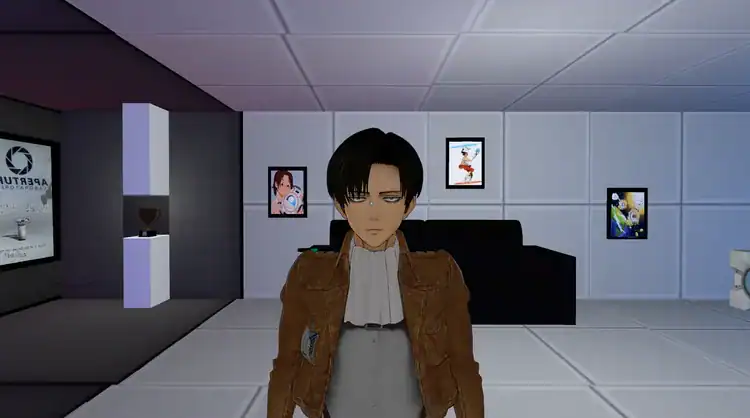
- The feeling of sunlight coming into a small room
- A beach where moonlight pours down
- A book cafe under warm rattan lighting
These places aren’t just ‘pretty backgrounds,’
but spaces where you can capture the emotions of that moment.
📷 Try taking a photo with avatar pose mode turned on.
It becomes a precious memory, just like a great shot in reality!
💡 Tips for Beginners
- Start with quiet worlds and lower the volume at first.
- It’s okay to block uncomfortable people immediately.
- Even if you can’t communicate with words, gestures and nodding are enough.
- Don’t forget to register ‘Friends’ if you meet someone nice.
🌿 VRChat Part 1 Closing Remarks
Virtual reality games are sometimes so beautiful
that they become spaces where you want to stay longer than in reality.
But as those emotions deepen,
we suddenly find ourselves asking this question.
“Am I connecting right now?
Or… am I running away?”
The memory of ‘burung imut’ who communicated with Indonesian friends,
and the emotional balance
found within it.
Let’s walk through it together in the next part. 🐢✨
▼ Virtual Reality: Addiction or Connection? Click to see the next part
See you in the next story, kkeobuk-kkeobuk 🐢💖

![💜 [Narrative] Discovering ‘Me’ within the Language of Machines: A Transparent 160-Page Record for the World (Kindle & Google Play)](https://d8928058.delivery.rocketcdn.me/wp-content/uploads/2026/04/My-AI-Friend-ITTIP-1.png)

![🏷️ [Digital Detox] Building a Sanctuary of the Mind Beyond Media: My Honest Journey](https://d8928058.delivery.rocketcdn.me/wp-content/uploads/2026/07/Creating-a-Digital-Detox-Fortress-1024x572.png)