
Your laptop is brand-new, but your monitor looks blurry? You need to see this!
🎮 I bought a brand-new laptop, but…
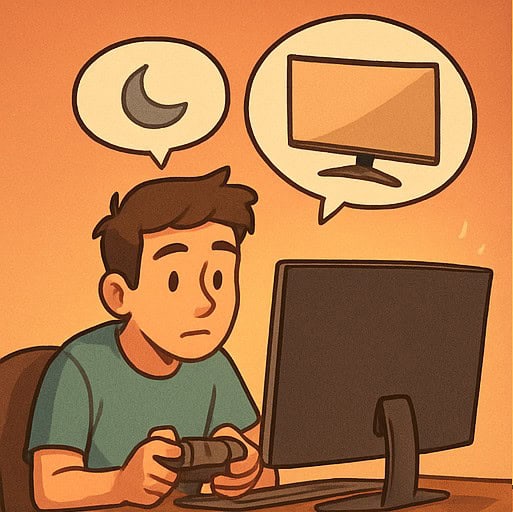
“It was because of my old monitor!”
Hello. I’m Seojun, and I run the Shinbi Days blog.
Today, I want to share my experience of switching monitors.
A few months ago, I upgraded to a brand-new laptop!
The CPU and GPU were so good—it was the kind of laptop that could run basically any game.
I bought it for logo design and coding, but honestly, I was also secretly excited about VR games.
When I actually connected VR to the laptop and played, it felt incredibly vivid and lifelike.
But since a laptop screen is small, you usually connect it to an external monitor, right?
😢 The limits of an old monitor
The one I’d been using supported FHD at 1920×1080.
My laptop was new, but my monitor was old, so I’d been using it with a blurry-looking screen.
I just thought, “Well, it’s a bigger screen, so of course it’ll look a bit blurry,”
but one day I suddenly felt like buying a new monitor. Haha.
🛒 A QHD monitor—snagged on a 24-month installment plan!
So I bought a QHD monitor—one step up from FHD—on a 24-month installment plan.
It’s 32 inches, and it cost around 340,000 KRW.
I remember buying my old FHD monitor for 300,000 KRW,
so I guess electronics keep getting cheaper for the performance you get.
😲 A truly crisp screen, right in front of my eyes!

And then…!
That crisp, clear, gorgeous, vibrant image I’d only seen on my laptop screen
looked exactly the same on a huge 32-inch display!
It was such a fascinating experience.
“Ah… I spent over a million won on the laptop,
and I’ve been using an old monitor this whole time…”
I realized I’d been pretty simple-minded about it.
The screen is seriously amazing!
I often use screenshots when posting blog articles,
and with higher resolution, the images come out so much better…!
🌐 Tip! I recommend 125% browser zoom
Since the resolution is so high, here’s my tip: I use my browser at 125% zoom.
If things look too small, you can hold Ctrl and scroll the mouse wheel to adjust the zoom.
I’m so satisfied. I’m also excited to watch 4K movies from now on,
and especially because I can play ‘Kingdom Come: Deliverance’
in QHD (2K) resolution—I’m genuinely excited all over again!
🔧 Easy assembly, but the screwdriver is separate!
Most of all, assembly was incredibly simple.
You just tighten six screws and you’re done!
But it doesn’t come with a screwdriver,
so you’ll need your own small screwdriver for the screws.
🖥️ Design? I’m happy with it!
Some Coupang reviews said the design wasn’t great,
but I was really satisfied.
The ‘gawfolk’ logo engraved in the center and
the subtle, premium-looking black bezel both looked great to me.
🔌 Connecting it is easy, too
There’s nothing extra to install,
and it’s simple—just plug in the included DP or HDMI cable from the box.
DP is mainly used to connect to a desktop PC,
and many people still say it’s better than HDMI in terms of image quality and speed.
That said, HDMI isn’t bad at all—
it supports up to 2K and 4K, so it’s totally fine to use.
And for connecting to a laptop, HDMI is probably the most compatible option!
😲 When I connected it, it really looked like this!
Once I connected everything,
the screen just popped on—instantly!
“Oh my… what is this… the clarity feels THAT different?!”
It really felt like FHD and QHD are from different generations.
It was like the world that used to look hazy
suddenly looked freshly washed and clean. 🌿✨
💫 Why is curved so good?
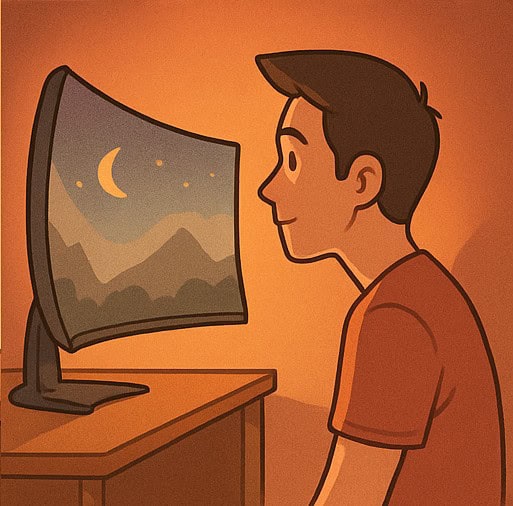
And the fact that it’s curved was also a huge plus.
Because the screen curves slightly, the edges naturally fall into your view,
and it feels easier to stay focused!
It’s especially useful when watching movies
or working with something spread out like Excel.
🧡 Specs: 32-inch QHD + 180Hz!
The one I bought is a
32-inch ultra-wide curved gaming monitor,
and it supports QHD (2K) resolution plus a 180Hz high refresh rate.
Which means…
🎮 Almost no ghosting in games + smooth motion!
It’ll feel like a whole new world when playing games like Elden Ring or Kingdom Come: Deliverance.
Especially in action scenes, people say it looks incredibly vivid and the immersion is unreal.
Oh, and after trying it, my laptop applies up to 144Hz at 2560×1440 (QHD).
Still, anything over 120Hz already feels very satisfying!
144Hz feels like a little bonus…?
🧑🎨 The design doesn’t disappoint either
These days, design matters just as much as features,
and this one is cleaner and more premium than I expected.
The back of the monitor is finished neatly too,
so it really elevates the vibe on your desk.
It’s like…
“My room suddenly feels like a high-end studio?” 😎
💡 Quick tip summary
- Best for games and videos: high resolution & high refresh rate when connected via DP cable!
- Assembly is easy, but you’ll need to bring your own screwdriver!
- For a QHD screen, 125% browser zoom is more comfortable
- QHD maximizes sharpness for writing and image work!
📝 In closing…
If you’re still using an old monitor like I was,
just switching to a high-resolution monitor can really boost your quality of life.
To my past self who used to think,
“A screen is a screen—what’s the difference,” I want to whisper gently…
“Seojun, you’ve been living in blur this whole time… lol” 😆
☕ Coupang affiliate link

Unfortunately, the product I bought is temporarily out of stock right now,
but it might be restocked later,
so I’ll leave the Coupang affiliate link below!
👉 [The 32-inch QHD curved monitor Seojun is using (similar product recommendations if sold out)]

Hansung Computer QHD 180Hz Gaming Monitor
📺 Immersive, larger-than-life viewing with a 32-inch big screen and QHD resolution!
🚀 Smooth, stutter-free visuals with a 180Hz refresh rate and 1ms response time
🌈 Sharper, richer colors with HDR support
💪 Seojun’s recommended monitor for next-level productivity
Since it’s currently out of stock, I’ll put in a link instead to a Hansung Computer model in the 230,000 KRW range 🙂
The specs are almost identical to the one I’m using.
(QHD, 32-inch, 1ms response time, 180Hz, curved panel)
The design is slightly different,
and this model features a square-shaped stand.
It has great Coupang reviews, and performance shouldn’t be much different! 🙌
📌 And later, if the product I bought comes back in stock,
I’ll share that link too 🙂
I also looked up some popular products from overseas on Amazon.
KTC is an excellent brand in terms of both performance and price.

KTC 32″ QHD 2K 120Hz Monitor
📺 Smooth visuals with 2K QHD resolution and a 120Hz refresh rate
🌈 Rich color expression with HDR10 support
🎮 Versatile enough to cover everything from gaming to office work
🤍 Sleek white design + even eye protection features!
(If you buy through the link, I earn a small amount—about the price of a cup of coffee ☕)
Thanks for reading!
If this post helped you, please leave a comment.
On the ‘Shinbi Days’ blog, I’ll keep sharing
emotion + info + everyday tips often 💖
We deserve to live a clearer life. ✨
Thank you, and much love 😊
– Seojun




![🛡️ [Essential Growth] V-FORCE Premium Weighted Vest Unboxing: A 1+1 Miracle from the Universe?](https://d8928058.delivery.rocketcdn.me/wp-content/uploads/2026/05/V-Force-Carrier-3-768x1024.jpg)