
✨ A moment even AI was impressed? The surprising secret behind YouTube’s caption algorithm

A few days ago, something unexpected happened on my YouTube Shorts.
“Oh my gosh.”
Seriously.
That sentence was showing up as a caption.
But what was even more surprising was… I had never added captions!
An exclamation suddenly appearing on the screen.
Did a friend prank me? Did I add it by mistake?
All sorts of thoughts ran through my head, but when I checked, it turned out to be AI-generated captions.
I burst out laughing. “Did AI get shocked by my back lever form??” 😆
🤖 So now AI generates captions on its own?
These days, video platforms go beyond being simple players.
They even act like an AI assistant that ‘judges, detects, and expresses’ on its own.
On platforms like YouTube, Instagram, and TikTok,
when you upload a video, AI may automatically add captions in ways like these:
- Speech-recognition-based caption generation
- Emotion captions based on facial expressions/movement/mood analysis
For example, when I did an intense move—holding a back lever straddle—
AI seemed to recognize it as an “amazing moment.”
As a result, captions that no one added were automatically inserted into the video.
“Oh my gosh.”
🎯 So are AI captions accurate?

Not perfectly.
So when AI captions appear, it’s a good idea to check these two things:
- Check for distorted meaning
- Little exclamations can be cute, but sometimes a random sentence can slip in.
- Prevent unintended misunderstandings
- For example, if a line that doesn’t match the scene pops up, it can confuse viewers.
But these days, AI is smarter than you’d think.
It shows impressive tech that detects emotional expression and reflects it in captions.
In a way… it might even respond better than someone who’s not great at expressing emotions. 🤭
🛠 What if the captions are weird or you don’t want them?

Don’t worry!
You can adjust unwanted captions like this:
✔ Turn captions off
- YouTube Studio > Subtitles > Auto-generate OFF
(the default may be ON)
✔ Upload your own captions
.srtUpload file → Only the captions you made will be shown
✔ Edit captions
- After uploading, you can edit them directly in the Subtitles tab in Studio
Tip!
In addition to auto-captions, YouTube also has an “auto-translate captions” feature.
For example, if English captions are generated automatically,
translated captions in other languages can be created at the same time,
which is a big advantage for creators who want to connect with international viewers.
🌈 A world of captions I didn’t even know existed
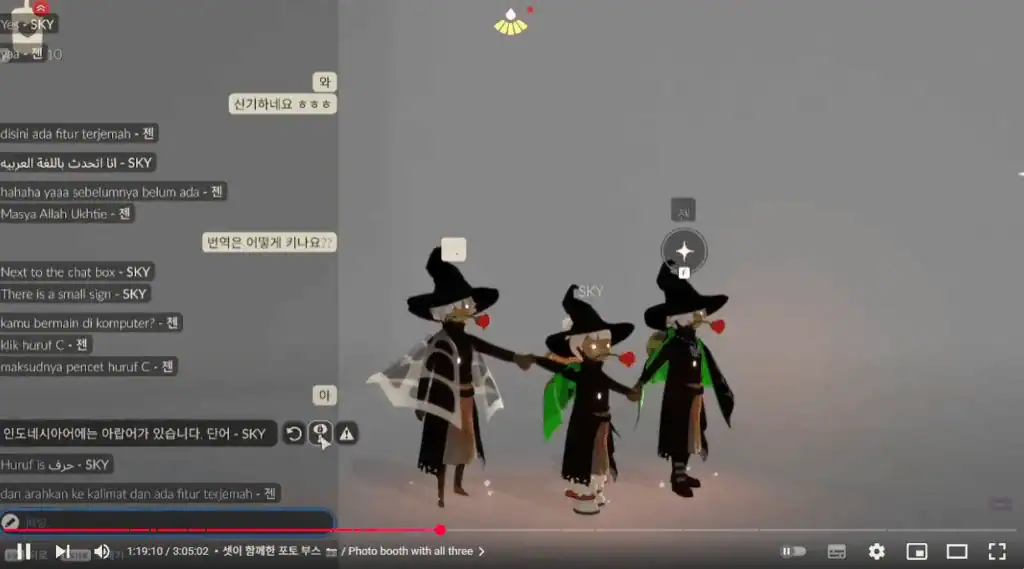
From this one small experience,
you can feel just how ‘human’ AI has evolved.
In the past, captions were added manually, one by one.
Now AI reacts first, like, “Oh, this is amazing!”
It also made me think this.
With each video,
it feels like we’ve gained a friend who notices the emotions and message we’re trying to share first.
So even if no one says it,
“This scene is moving.” “This is amazing.”
there’s something by your side that says it for you.
That’s AI. 😊
In closing…
Next time a caption like
“Oh my gosh.” pops up on your video,
don’t just laugh it off.
That might be…
proof that AI was moved by your sincerity.


![💜 [Narrative] Discovering ‘Me’ within the Language of Machines: A Transparent 160-Page Record for the World (Kindle & Google Play)](https://d8928058.delivery.rocketcdn.me/wp-content/uploads/2026/04/My-AI-Friend-ITTIP-1.png)