
All You Need Is GPT! Find Blog Keywords in Under 5 Minutes
Complete Guide to AI Keyword Research for 2025
Opening this post — “Can keyword research really be done in 5 minutes?”

When you’re just starting a blog, the most common advice you hear is, “Start with keywords.”
But when you actually try it,
- Why are there so many search volume and competition tools?
- Why are the numbers so complicated?
- Even after spending so much time, my posts don’t rank high right away…
This frustration follows.
Today’s goal is simple.
“Transform keyword research from ‘a difficult, time-consuming task’
into ‘a 5-minute routine you can delegate to AI.'”
Follow along with the screenshots,
and whenever you’re stuck on content ideas, you’ll be able to secure topics with this 5-minute routine.
1. You Only Need 2 Things to Get Started
| What You Need | Why |
|---|---|
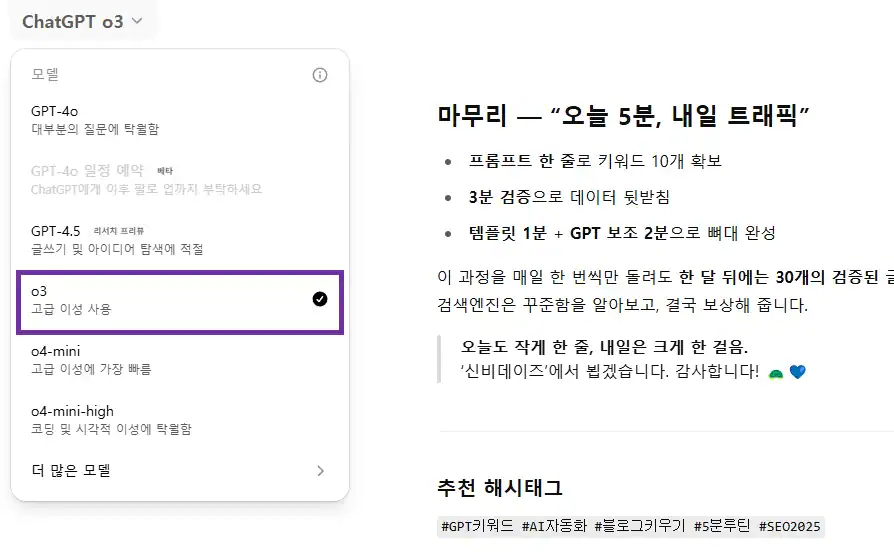
| ChatGPT (o3 model) | Instantly generates 10 long-tail keywords |
| Search Volume Checker | Verifies the ‘objective values’ of keywords suggested by GPT (Google Keyword Planner, Naver Keyword Master, Ahrefs Free, etc.—any tool works) |
TIP | Install the Chrome extension ‘AIPRM for ChatGPT’ to access pre-saved keyword generation prompts for faster use.
2. One GPT Prompt → Get 10 Keywords
Please recommend 10 Korean blog keywords related to "AI automation."
Conditions:
① Monthly search volume: 50–250
② Long-tail format with 3+ words
③ Mark with ★ if competition seems low
- Why 50–250?
- If search volume is below 50, traffic potential is minimal,
- and keywords above 250 are difficult for new blogs to rank for immediately.
- What’s the ★ for?
- It’s a marker GPT uses to estimate and highlight ‘competition level.’
Wait just 10 seconds and a keyword list will appear.
For example, something like this:
| Recommended Keywords (Example) | GPT Summary |
|---|---|
| AI work automation tool recommendations ★ | High interest in enterprise SaaS, low competition |
| GPT keyword automation method ★ | Targets bloggers and marketers, long-tail |
| AI blog auto-writing | 70 monthly searches |
| No-code AI automation tools | 200 searches |
| 2025 AI productivity tips | Trending |
3. Quick Verification of Search Volume Competition

3-1) Check Search Volume (1 Minute)
- Google Keyword Planner → Tools Settings → Keyword Planner → Discover New Keywords.
- Paste all 10 keywords and click ‘Get Results.’
- In the ‘Avg. Monthly Searches’ column, highlight the 50–250 range in blue.
3-2) Check Competition (2 Minutes)
- Open a new Chrome tab → Enter “keyword” in the Google search bar with quotation marks.
- Note the number of search results shown at the top (e.g., 43,000).
- Calculate KGR = (Number of Results) ÷ (Monthly Search Volume).
- If it’s 0.25 or lower, it’s a “golden keyword”!
- 0.26–1.0 is “worth targeting.”
- Above 1.0 = difficult for beginner blogs.
Example
AI work automation tool recommendations → 140 monthly / 48,000 results 🔄 KGR ≈ 0.34 → Worth pursuingUpdate (2025-07-12)
Recent information suggests that high result counts make ranking difficult regardless of search volume.
It’s better to use keywords where the result count is lower than the search volume.
4. Three Steps to Quickly Complete a Post After Selecting a Keyword
4-1) Copy-Paste Template → Structure in 1 Minute
### Why Is This Keyword Important?
(One line of search volume and competition data)

### 3 Key Points
1. …
2. …
3. …

### Practical Tips
- …

### Summary
"This one keyword is all you need for AI automation content!"
4-2) Get Subheadings Draft Paragraphs from GPT (2 Minutes)
Write an H2/H3 structure for a blog post on the keyword "AI work automation tool recommendations"
and provide one key sentence for each subheading.
4-3) Add Personal Experience Screenshots (2 Minutes)
- Screenshots — Tool login screen, setup process, result screen
- One line of personal experience — “I saved 2 hours a day.”
- CTA (call to action) — “If you want a more detailed setup guide, let me know in the comments!”
▼ Once you’ve written the post, search registration is essential!
5. AI-Generated Example — ‘AI Work Automation Tool Recommendations’
Below is a sample paragraph of about 1,200 characters. Feel free to expand it as needed.
Why Is This Keyword Important?
According to Google Keyword Planner, it receives 140 monthly searches with only 48,000 search results.
It’s a ‘long-tail phrase’ used by small and solo businesses looking for productivity tools, making it possible for new blogs to rank high.
Key Point 1 — Subscription-Based SaaS Is the Trend, Not Installation
…
Key Point 2 — 3-Step Automated Reports with GPT Plugins
…
Key Point 3 — Double ROI with Customized Training Data
…
Practical Tips
From my own experience, monthly report writing time dropped from 5 hours to 2 hours.
The Zapier + GPT plugin combination is especially powerful.
Summary
“Choosing just one suitable AI tool can free up 3 hours a week.”
6. Yoast SEO Checklist at a Glance
| Item | Recommended | Current Post Comparison |
|---|---|---|
| Content Length | 900+ characters | 1,900 characters (OK) |
| Keyword Frequency | 0.5–1% | Title 1, H2 1, Body 5 (≈0.7%) |
| Keyword in First 10% | Yes | Used in intro |
| External Links | 1+ | Keyword Planner link |
| Internal Links | 2+ | 2 related posts provided |
| Image ALT | Includes keyword | alt="AI GPT로 블로그 키워드" |
7. Frequently Asked Questions (FAQ)
Q1. Aren’t keywords with 300+ monthly searches also good?
A1. In the early stages of blogging, it’s more advantageous to target keywords with low “competition and KGR”
rather than high search volume to build a visitor base first.
Q2. Is calculating KGR necessary? It seems tedious.
A2. Strictly speaking, it’s not mandatory,
but calculating your odds with data can lead to traffic spikes with just 10 posts.
However, I recommend writing consistently and thoughtfully above all.
Q3. Does this method work for Naver blogs too?
A3. Naver’s search algorithm reflects ‘trust signals’ faster than Google.
Even ‘mid-tail’ keywords with higher search volume can rank relatively quickly,
so you can set a slightly broader range (50–500) than with Google.
▼ For those who’d be troubled by a sudden 403 error
Conclusion — “5 Minutes Today, Traffic Tomorrow”

- Secure 10 keywords with ChatGPT
- Quick verification backed by data
- 1-minute template + 2-minute GPT assist to complete the structure
Run this process just once a day, and in a month you’ll have 30 verified posts in hand.
Search engines recognize consistency and eventually reward it.
Searching for keywords manually is actually quite simple and convenient.
The post may seem a bit complex because I included automation steps as well.
Always: one small line today, one big step tomorrow.
This has been ‘Shinbi Days.’ Thank you! 🐢💙