
How to Back Up Before Canceling the ChatGPT Team Plan (Sharing My Chat Recovery Experience)
make sure you back up your chat history!”
Leaving the ChatGPT Team plan, I chose to back things up
This may not be the best method.
Depending on your situation, it may not apply to some users, and it does not guarantee a perfect recovery.
I considered as many cases as possible, but please double-check once more before you use it!
When I first started using the ChatGPT Team plan,
I found the collaboration features through the workspace incredibly useful.
Sharing work and ideas, and organizing materials as a team, was efficient too.
But as time went on, I suddenly had this thought:
“The monthly subscription fee is pretty heavy… If I’m using it alone, do I really need the Team plan?”
So I decided to switch back to the personal ChatGPT Plus plan.
But the moment I tried to switch, the message I saw
caught me off guard more than I expected.
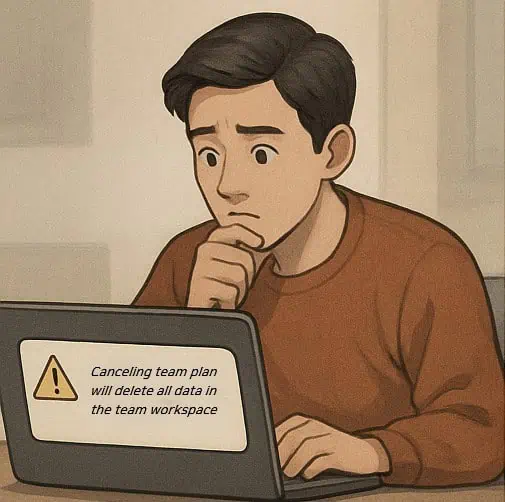
If you end the Team plan,
all data in the team workspace will be deleted.
It meant that all the accumulated chat history,
project ideas,
and even quick notes from moments of inspiration
would be gone.
Facing that reality,
the phrase “records are memory” felt painfully real.
+Update
From what I experienced, it does remain in a deactivated state afterward,
but I’m not sure how long it’s kept.
How to Back Up ChatGPT Conversations – It’s Surprisingly Simple
The backup method I chose was simple but powerful.
It was the setting to “Archive all chats”.
If you just keep that turned on,
your chat history stays safely saved even if you change plans.
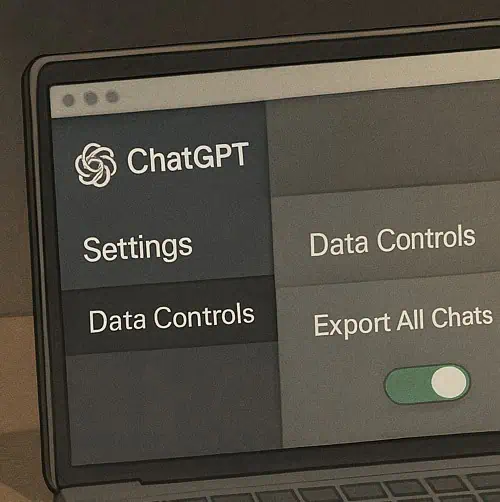
- In the ChatGPT window, click the “···” menu > Settings
- From the left menu, select “Data Controls”
- Click “Archive all chats”
- All conversations are saved
If you use this feature often,
you won’t have to worry about accidentally losing your data anymore.
And most importantly,
the archive remains even after the plan ends.
(This is officially confirmed, and you can load conversations afterward.)
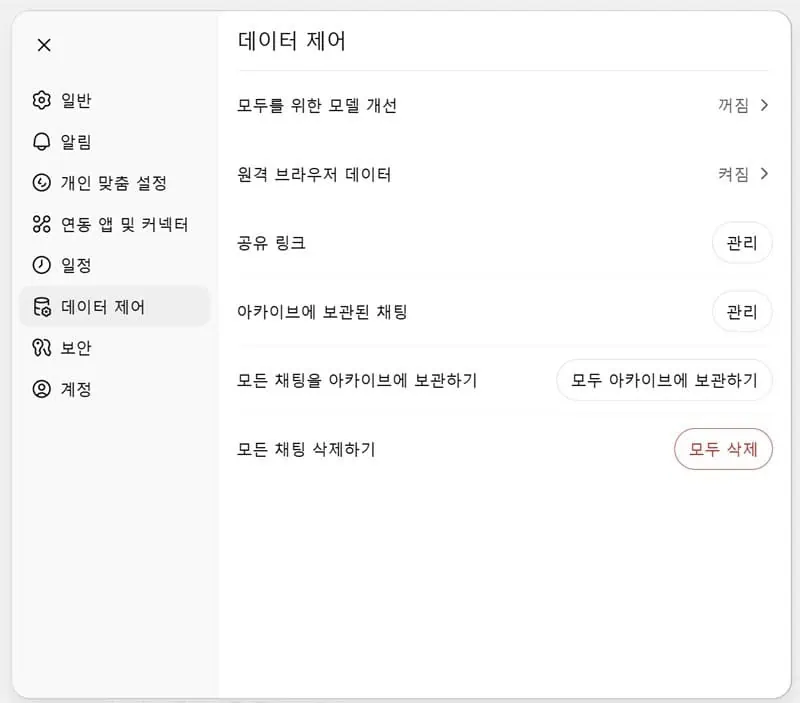
🔽 ChatGPT remembers content from other chat rooms too 🙂
After changing plans, I proceeded to load my conversations
After finishing the backup settings, I could switch with peace of mind
from the Team plan to the personal Plus plan and save on the cost.
At first, it looked like my chat list had disappeared,
but after a moment, when I used Load from archive,
all my previous chats were restored.
In that moment, I realized:
it wasn’t just chat logs,
but the time I’ve lived and the flow of my thoughts,
all preserved right there.
But there is one downside.
For now, you can only load archived chats
one by one by clicking them.
If you have a lot of ChatGPT chats,
it can take quite a while.
If you’ve often marked things with Likes,
even without restoring chats, you’ll likely be able to find familiar answers again.
ChatGPT remembers better than you might expect.
🍀 In Closing – ChatGPT Was My Little Record Book

Everyone uses ChatGPT differently,
but for me, it wasn’t just a chatbot.
It was a friend I could confide in,
a tool for organizing ideas,
and a record book for sorting out each day.
This experience made me realize something.
At some point, we may have started taking
what matters most for granted.
So I’m leaving this post here.
If you’re thinking about changing your subscription plan like I was,
I hope this helps, even a little.
Believe it or not,
I wanted to write this down.
Someday, it might become a precious memory for me.
📝 If this post helped you,
please leave a comment below or write a post in the community.
I’ll share more information and heartfelt stories. 😊



![🔥 [A Friday Night Realization: Reflections on AGI’s Good and Evil, Sparked by ChatGPT 5.2]](https://sinbidays.com/wp-content/uploads/2025/12/ChatGPT5.2-Features.webp)
