Fast AI Image Generation: Is it possible with Freepik?
Free generation of up to 20 images per day 🎨
Many people are now using AI image generation tools for content creation. For bloggers, YouTubers, and social media content creators, in particular, creating fast and aesthetic images is crucial. In this post, I’ll introduce Freepik, one of the sites that allows for “fast AI image generation.”
Freepik: What kind of site is it?
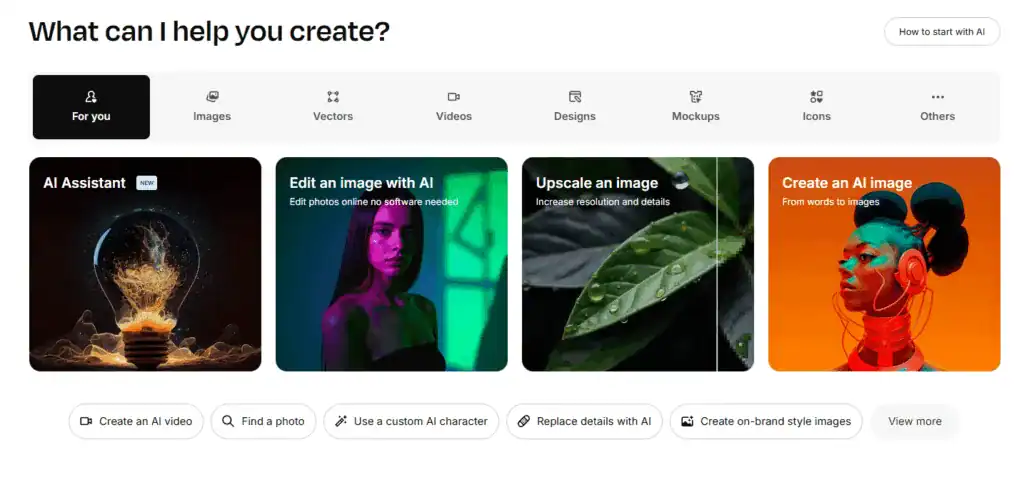
Freepik is well-known as a platform providing design resources like vectors, illustrations, and photos. However, it has recently added an image generation feature using its own AI model, gaining attention as an AI image generation site that can quickly create high-quality images from just text prompts.
Is Freepik AI image generation free?
To get straight to the point, yes, it’s free to use. However, there are a few conditions:
- Free generation of up to 20 images per day after login
- High-quality downloads or detailed style settings require a paid plan
This means that for light use or blog content thumbnails, the free plan is often sufficient.
▼ Videos are easily auto-edited with Vrew.
What styles of images can be created?
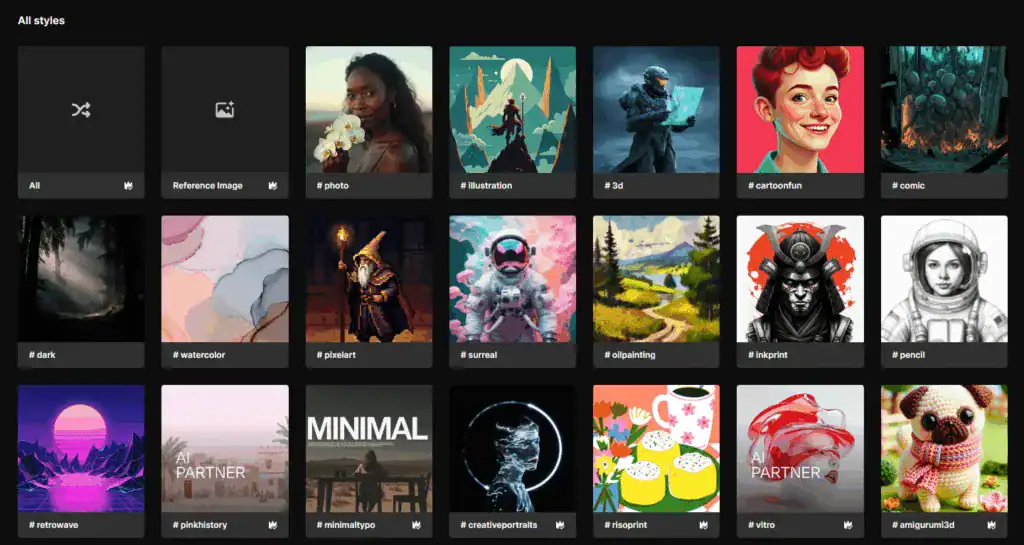
Freepik supports the following styles:
- Realistic photo style
- Cartoon/Illustration style
- Animation style
- Cyberpunk, Vintage, Modern Art, etc.
In addition to these, you can adjust color tone, lighting, and camera angle along with text prompts, making it very useful for flexible image creation.
Image Generation Options: What features are available?
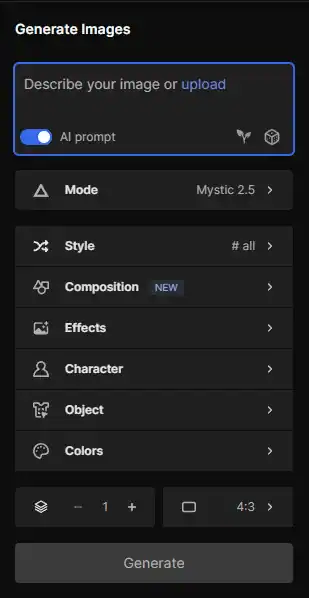
Freepik’s AI image generator has the following detailed settings menus:
- Composition: You can specify the arrangement of people or objects to create images closer to your desired composition.
- Effects: You can adjust the image mood by adding various visual effects such as glow, blur, and retro filters.
- Character: You can select the style, pose, and expression of characters, which is very useful for emotional content.
- Object: You can specify desired elements like flowers, trees, or other objects, allowing you to directly select objects within the image.
- Colors: You can specify themes like warm colors, cool colors, or pastels, suitable for creating emotional images.
By combining these options, you can generate much more precise and aesthetic images than by simply entering prompts.
Which AI models are used?
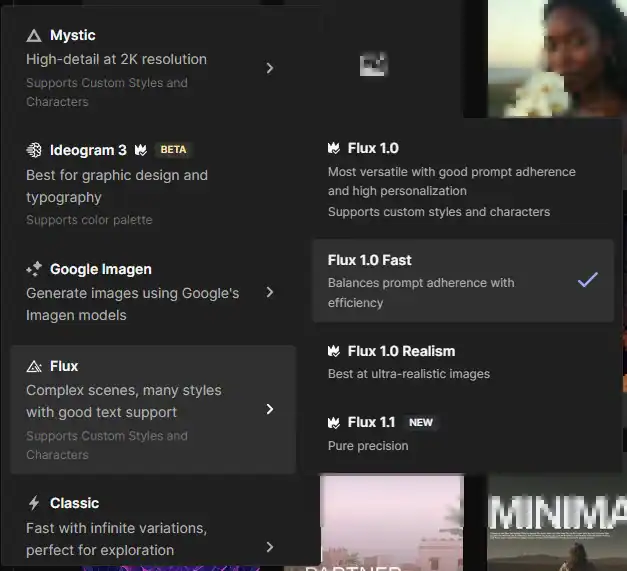
Freepik uses its self-developed Flux and Mystic models.
- Flux is suitable for general styles,
- while Mystic excels at detailing human hands, eyes, and skin.
This means you can choose between the two models depending on the situation to enhance image quality.
Is a paid plan necessary?
If you frequently create content, you might consider the following paid plans:
| Plan | Price (monthly) | Features |
|---|---|---|
| Essential | Approx. $6.5 | Basic downloads available, ad-free |
| Premium | Approx. $15 | Increased AI generation limit, high-quality images |
| Premium+ | Approx. $36 | Unlimited generation, enhanced commercial use |
I recommend trying it for free first, then upgrading when needed.
Tips for Use: How to use it for blogs, YouTube, and social media

- Generate blog thumbnail images: Create aesthetic images that match your keywords.
- YouTube Thumbnails: Utilize for creating keyword-centric images that drive clicks.
- Social Media Content: Quickly create seasonal and trending images to reduce content planning time.
Closing thoughts
If you’re looking for “fast AI image generation,” Freepik is an excellent choice. Especially for those who have been searching for an AI image generation site, its easy accessibility and aesthetic styles will likely be very appealing.
Experience more efficient and aesthetic content creation with AI automation, right now on Freepik.
That’s all
from Shinbi Days 🙂




![🔥 [A Friday Night Realization: Reflections on AGI’s Good and Evil, Sparked by ChatGPT 5.2]](https://sinbidays.com/wp-content/uploads/2025/12/ChatGPT5.2-Features.jpg)