
📡 What is DNS? Hacking Intro Day 1: My First Cybersecurity Practice
(Shinbi Security Day 1, first step into emotion + practical skills.)
Hacking? No, it’s the start of an emotional routine.
Today, the word ‘hacking’ suddenly popped into my head.
I’m not sure why. I was meditating,
and suddenly the phrase “cybersecurity expert” crossed my mind.
Actually, that was my childhood dream: a white hat hacker.
In movies, hackers shake up big corporations, uncover hidden truths, and bring justice, right?
Of course, you shouldn’t do that in real life, haha.
Anyway, to me, it felt like a “job that could change the world.”
From elementary school, when my dad bought me my first computer, sitting in front of it was my favorite thing.
I first encountered the internet, explored websites, watched Flash animations, and then played games…
In college, I even made Tetris with C language and Breakout with MFC.
But as time passed, that dream faded,
and as I adjusted my university, career, and life to reality,
cybersecurity felt like a distant, far-off story.
But you know what?
For the past few years, as I’ve consistently practiced affirmations and meditation,
my life has surprisingly started flowing naturally
in the direction I’d always wished for.
Coding, logo design, blog management, monetization, content creation…
Everything was flowing under the name ‘Shinbiverse,’
and now, the keyword ‘security’ has naturally fit right into that flow!
What is DNS?
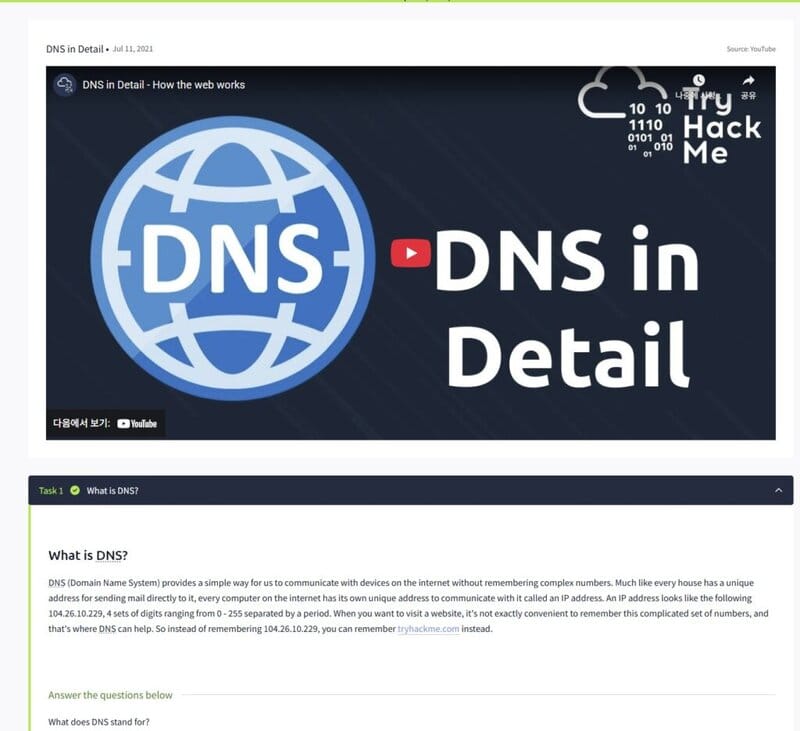

The first concept I covered in practice was “DNS.”
It would be really hard if we had to remember internet addresses as numbers, right?
So, DNS is the system that manages how computers actually understand
the domain names we use.
DNS (Domain Name System) is a system that converts complex numerical addresses (IPs)
into easy-to-remember textual addresses (domains).
For example,
instead of remembering an IP like 104.26.10.229,
you can easily access it with a domain like tryhackme.com.
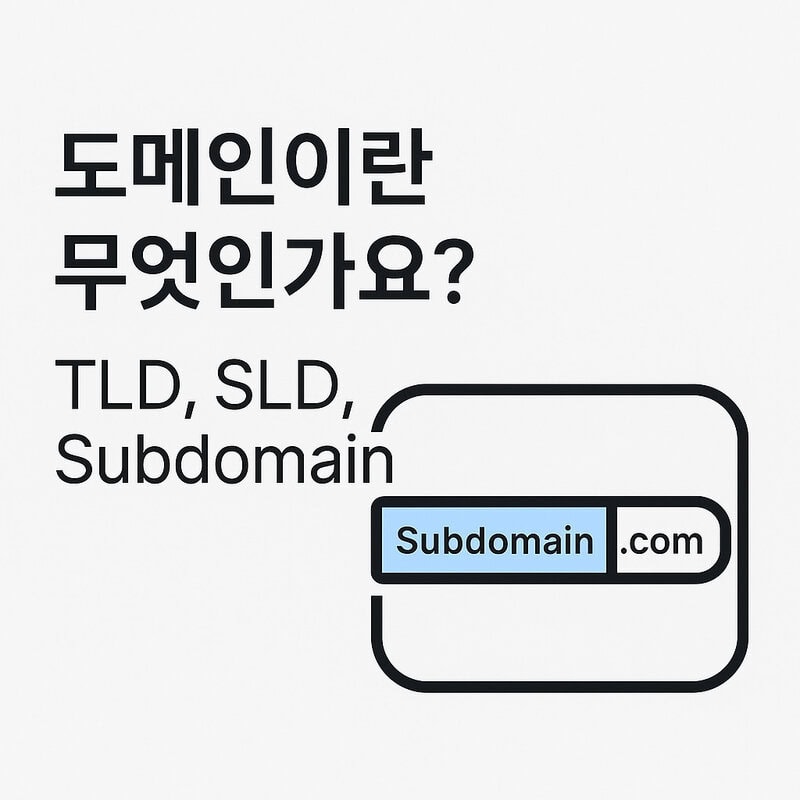
🧩 Components of a Domain
1️⃣ TLD (Top-Level Domain)
This is the very end part of a domain. Examples:.com, .org, .kr, etc.–
.com: Company/Commercial
– .org: Non-profit organization
– .kr: Korean site✔️ In practice,
.com, .co.kr, and .net are the most commonly used.
2️⃣ Second-Level Domain (SLD)
This is the core name part of a domain. Example: Insinbidays.com, sinbidays is the SLD.✔️ This is the most important name when purchasing a domain, as it reflects your brand or site identity.
3️⃣ Subdomain
This is the part added to the front of a domain, used to differentiate services.Example: In
admin.sinbidays.com, admin is the subdomain.✔️ In reality, it’s used for various service distinctions like
blog., shop., mail., etc.
🧾 Commonly Used DNS Record Types in Practice
✔️ A Record
Connects a domain to an IPv4 address.Example:
sinbidays.com → 104.26.10.229This is the most basic setting for website connections.
✔️ AAAA Record
This record is used to connect an IPv6 address.(The address length is longer than before.)
Example:
2606:4700:20::681a:be5Used for future-proofing, but A records are more common currently.
✔️ CNAME Record
Used to connect a domain to another domain.Example:
shop.sinbidays.com → shops.shopify.comOften used for connecting external services or configuring subdomains.
✔️ MX Record
Specifies the mail receiving server.Example:
sinbidays.com → mail.google.comEssential for integrating email systems like Google Workspace or Naver Works.
✔️ TXT Record
A record that allows text-based information to be entered.Example: Google Search Console verification, email security (SPF, DKIM) settings, etc.
Used for domain ownership verification or spam prevention.
🧩 Summary
- DNS is the ‘internet phonebook’ that links website domains and IP addresses.
- Domains are divided into TLD, SLD, and Subdomain,
and understanding each component is fundamental for practical work. - A, CNAME, MX, and TXT records are frequently used when setting up domains.
DNS Request Flow Summary
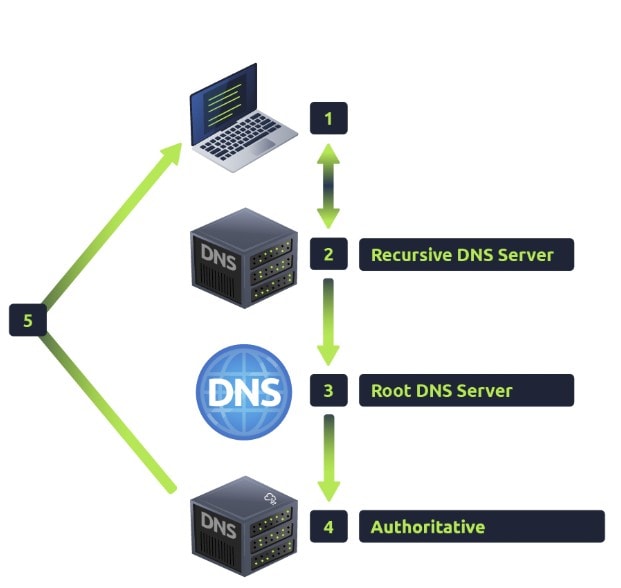
- My computer checks its cache.
- If not in cache, a request is sent to the ISP’s recursive DNS server.
- If still not found, it proceeds to the Root DNS server → TLD server → authoritative name server.
- The final response returns and is delivered back to my computer.
→ This is how we connect to the actual server just by entering a domain!
Practice Review: My First TryHackMe Challenge!
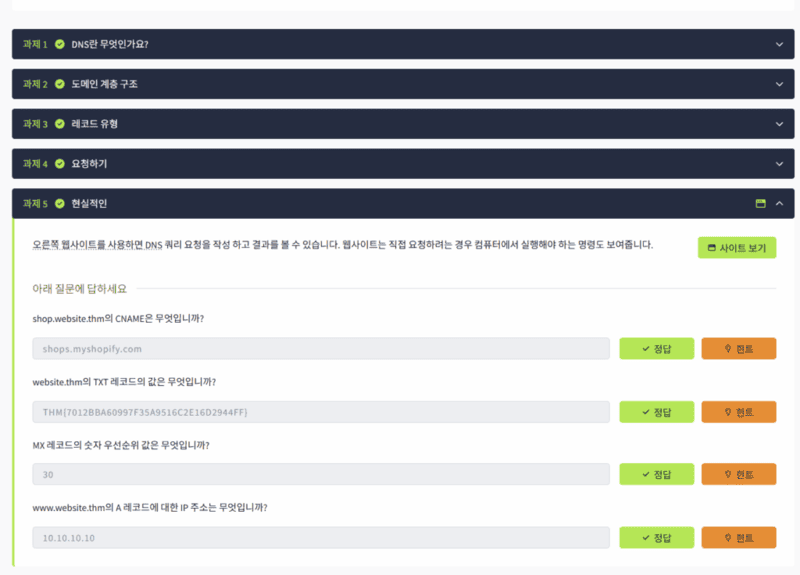
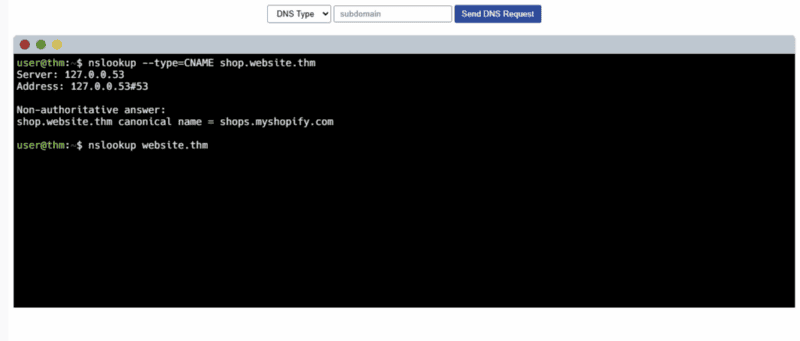
Today, I tried my first practice on TryHackMe.
A black window, similar to a Linux prompt, opened up,
and I had to solve problems by typing commands directly!
At first, I was a bit nervous. It had been a while since I’d seen Linux commands…
But once I started, it was so much fun!
Every time I solved a problem, a “Success!” message popped up like in a game,
and the thrill was incredible, seriously ㅎㅎㅎ
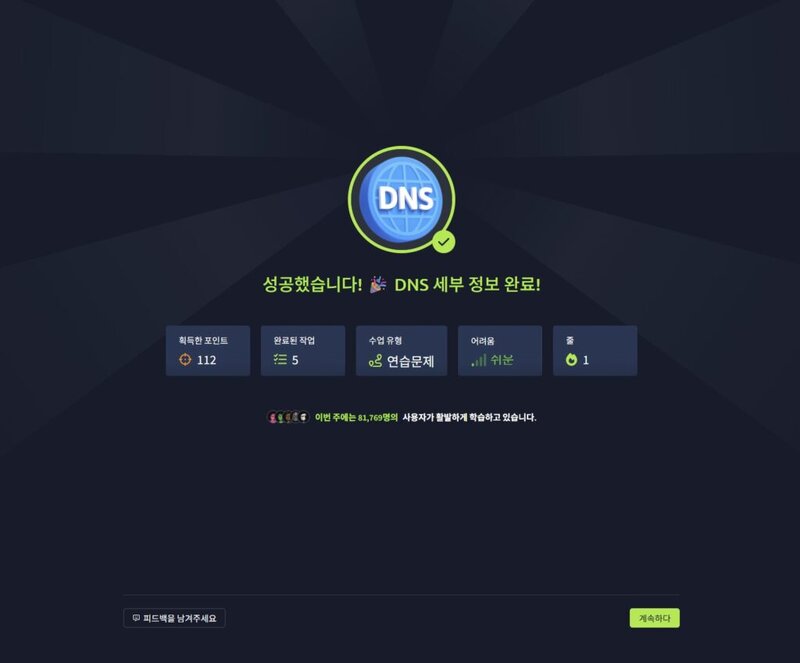
“Ah, I did it…!”
It didn’t feel like studying; it was genuinely fun solving a task.
You know that feeling when you clear a mission in a rhythm game or strategy game as a kid?
I felt that today. In real life, for real!
Concluding Today’s Record with Emotion
Perhaps because I’m combining media detox with a meditation routine these days,
I feel joy and immersion even in small daily things.
Before, I would have just passed by,
but now, even learning one thing about DNS, I find meaning in it.
I’m no longer just learning security.
Embracing the Shinbiverse philosophy of “connecting emotion and technology,”
I’m creating my own rhythm and routine.
And I hope this record,
someday reaches someone
and makes them think, “I can do it too.”
I’ll take another step forward tomorrow. ✨
Shinbi Security Day 1, Seojun’s Diary.