🎬 Master Vrew Completely! | Easy Guide from Auto Subtitles to Video Editing
Complete Vrew Guide
1. What is Vrew?
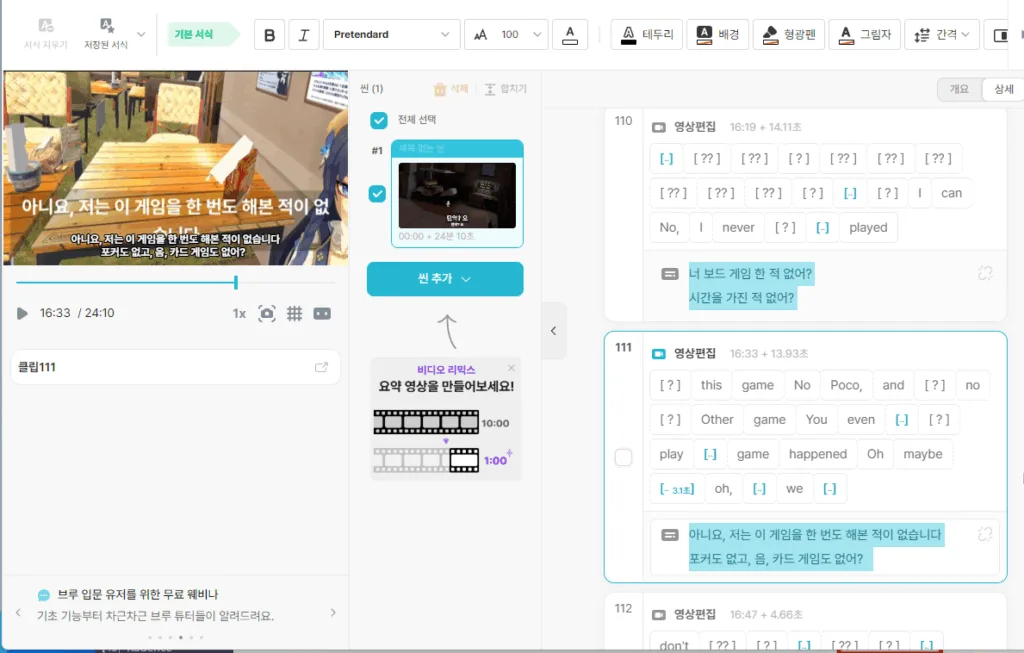
Vrew is an AI-based auto subtitle generation & video editing program.
It’s famous among YouTubers, video editors, and interview video creators as a tool that helps with subtitle work quickly and easily.
→ Now more people are using emojis and subtitles to enrich their content.
It’s a highly reliable and useful platform,
so if you’re a creator, it’s worth giving it a try.
- ✅ Auto subtitle generation with AI voice recognition
- ✅ Subtitle editing, cut editing, highlights, and thumbnail extraction all possible
- ✅ Both PC & mobile apps available
2. How to Install Vrew (PC Version)
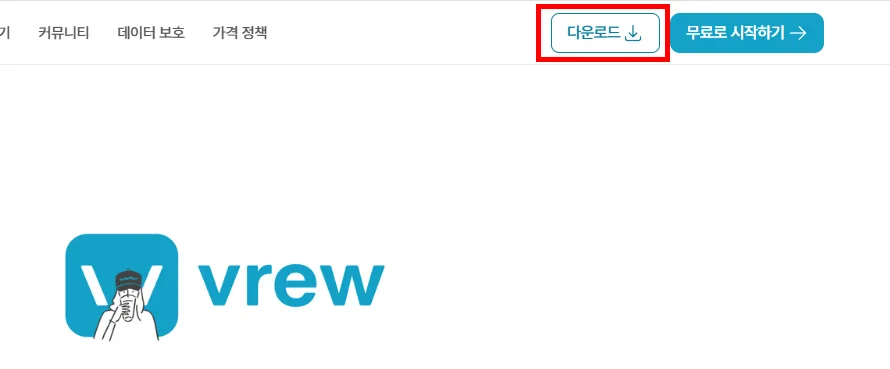
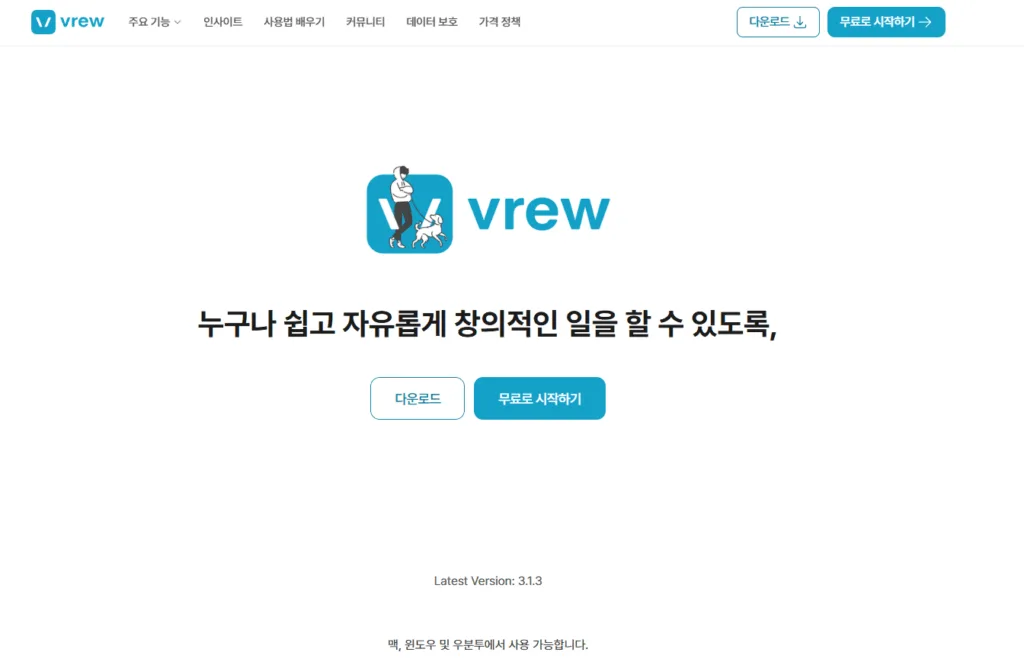
- Visit the official site → https://vrew.voyagerx.com/
- Select your operating system (Windows or macOS)
- Download and run the installation file
- Complete login by signing up or linking your SNS account!
📌 Vrew’s free plan can be used efficiently.
The auto subtitle generation feature alone makes it a worthwhile program.
By the way, I recommend downloading and using the program,
because features like subtitle extraction aren’t supported on the simple web page.
3. Vrew Basics – Auto-Generating Video Subtitles
📂 ① Import Video
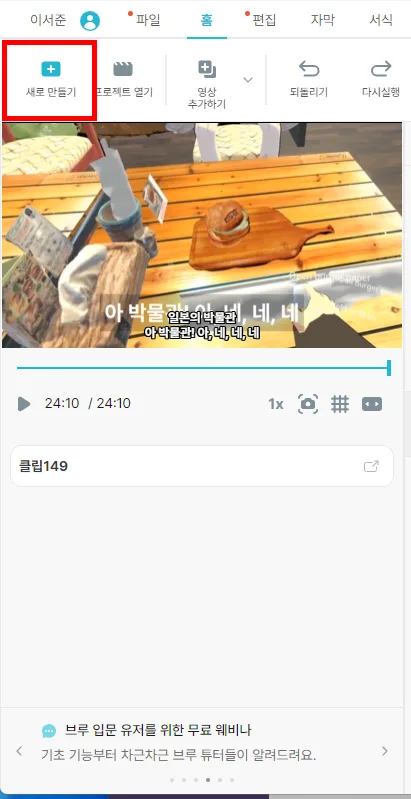
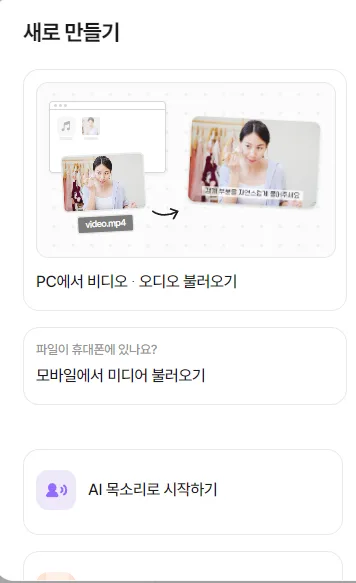
- After launching Vrew, click ‘New Project‘
- Import your desired video file (supports most formats like MP4, MOV, etc.)
🗣️ ② Auto Subtitle Generation
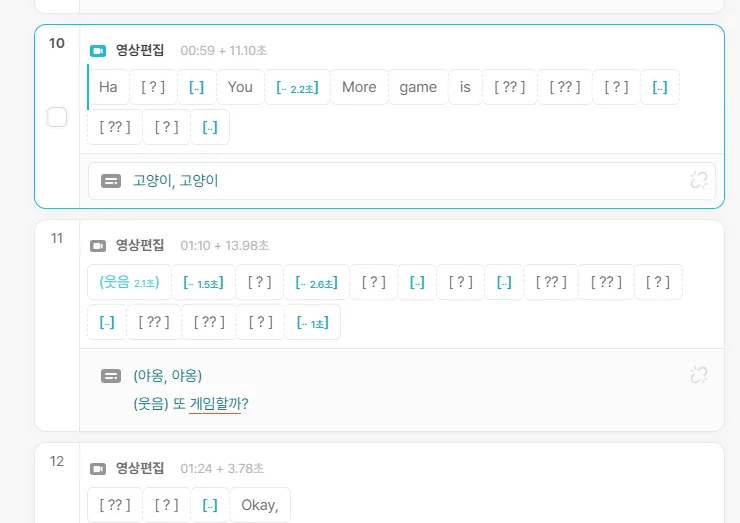
then it recognizes the audio and generates subtitles.
- Vrew is very convenient as it automatically creates subtitles through AI voice recognition.
- Subtitles completed within seconds to minutes depending on video length
✍️ ③ Editing Subtitles
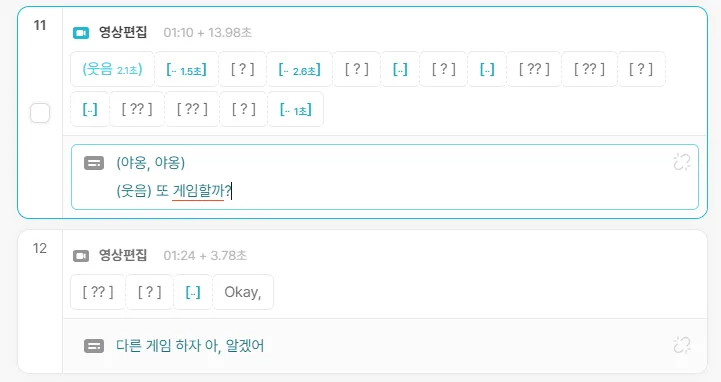
- Correct misrecognized words (double-click to edit directly)
- Changing from conversational to written style looks better.
- Subtitle length can also be adjusted according to speech speed
🎨 ④ Subtitle Style Settings

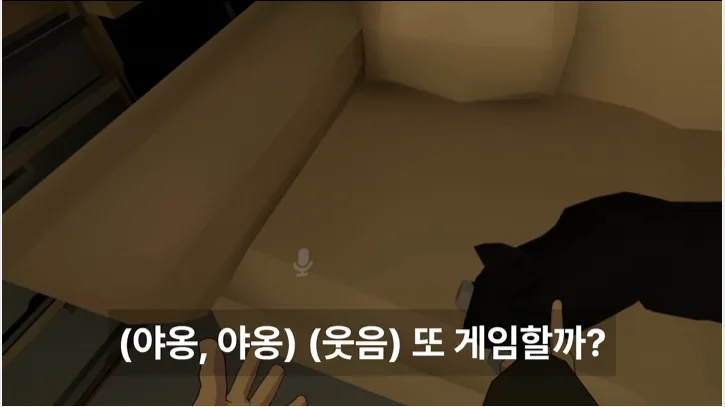
I find it looks nice to add background color and transparency.
- Set font, size, color, border, and shadow effects
- Subtitle position can also be freely moved
You can configure subtitle styles,
so it’s great that you can make them clean or pretty as you like.
4. There’s Also a Highlight Editing Feature!
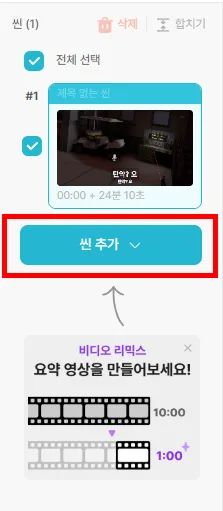
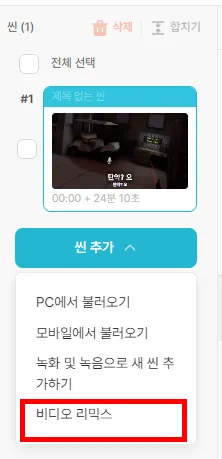
Vrew isn’t just a subtitle tool,
with the ‘highlight editing’ feature you can automatically create just the important parts separately.
- 🙋♀️ Select a section on the timeline → Click ‘Add Scene’ at the bottom
- 🎬 [Video Remix] -> [Create Highlight Video]
After a little time,
you can receive the highlight results automatically extracted by AI.
I really love this highlight feature too,
and it’s a convenient tool I’ve used to create Shorts videos and produce results.
▼ Easily create short videos with AI
5. Saving & Exporting Videos
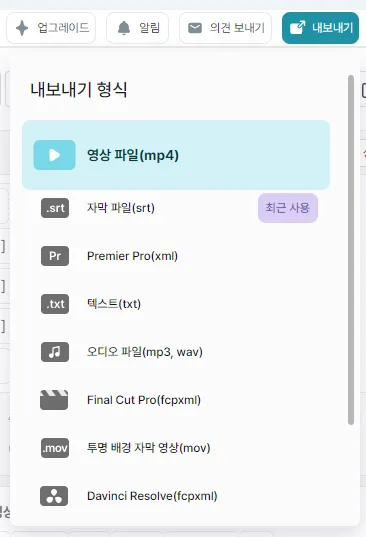
🔽 Video Export Options
- Save as video (with subtitles included)
- Extract subtitles only as SRT, TXT, etc. (only available in app)
- If you download the SRT file, you can insert YouTube subtitles right away.
You can attach them directly to the video,
but I also add Korean subtitles to YouTube so international fans can use translations.
💡 Recommended Settings
- Video quality: 1080p Full HD
Currently supports up to 4K resolution. - Subtitle format: SRT for YouTube + save as MP4 with subtitles embedded in the video
▼ Check out the amazing YouTube subtitle algorithm
6. Four Useful Vrew Tips
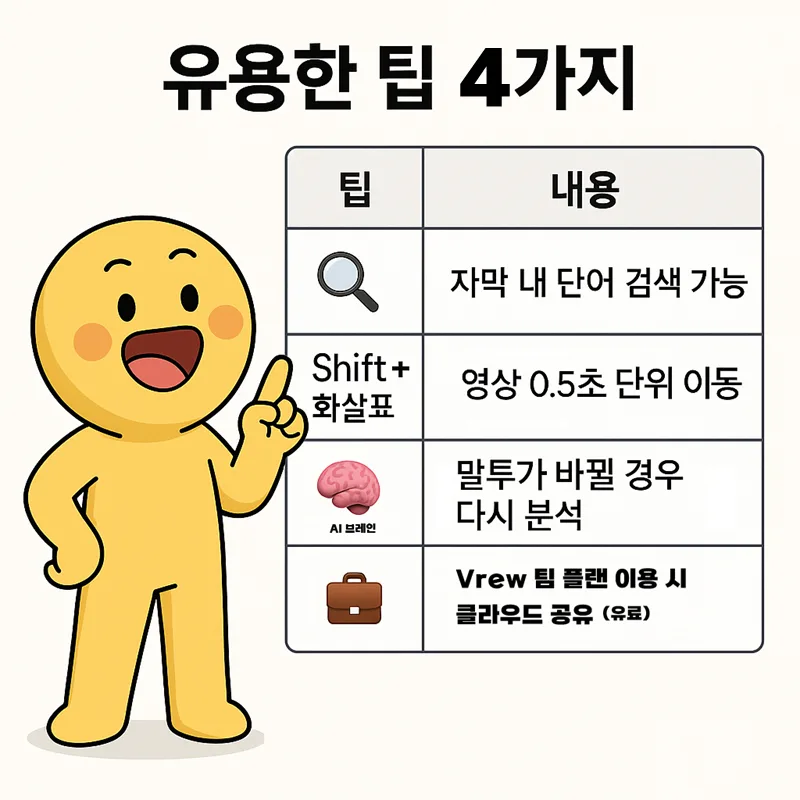
| Tip | Description |
|---|---|
| 🔍 Ctrl + F | Search for words within subtitles |
| ⏱️ Shift + Arrow | Move video blocks |
| 🧠 AI Analysis | Simple editing with AI analysis |
| 💼 Team Collaboration | Cloud sharing available with Vrew team plan |
7. People Who Use Vrew Well
- YouTubers: Adding subtitles to vlogs and informational videos
- Instructors/Coaches: Creating lecture video subtitles + highlight cuts
- Company Team Leaders: Summarizing meeting videos, editing interview videos
- Solo Creators: Easy editing all by yourself!
8. Frequently Asked Questions (FAQ)
Q1. Is it free?
A. Basic features are free within limits, subtitle generation and editing possible without watermarks on videos.
(Paid plans include cloud storage, team collaboration, advanced templates, etc.)
Q2. How accurate is it?
A. English and Korean recognition accuracy is very high (over 90%)
However, accuracy decreases if pronunciation is unclear or background music is loud
Q3. Can I use it on mobile?
A. Mobile apps are available, but the PC version is much more convenient!
(Mobile is for simple preview & subtitle checking)
9. Wrapping Up Vrew Usage – Essential Editing Tool for Creators!
(Source – Vrew YouTube Channel)
Vrew is truly a tool optimized for video editing beginners.
Once you learn the basics of using the program,
from beginners to pros, you can use it effectively.
Auto subtitle generation alone saves creators a lot of time,
and since highlight editing is also possible,
the saying “once you try it, you can never add subtitles manually again” is really true. 😎
That shows how valuable it is.
You too can use Vrew, the free AI video editing program,
to add subtitles conveniently and simply,
and extract highlight scenes!
I’ll be with you
until you become a more successful creator.
Thank you for visiting today.
🔖 Summary
- Vrew = AI editing tool for auto video subtitle generation + highlight editing.
- Powerful enough even for free, and subtitle analysis quality is excellent.
- Perfect for YouTube, lectures, vlogs, and meeting video editing.