
How to register on NAVER Place, I did it myself (practical guide to registering a car dealership)

Organize from top to bottom
A real-world example
“First steps from ”Smart Places"
I was recently at the Hyundai Motor Company's Seocheongju dealership.
I started as a NAVER Place admin.
The first step is, ‘Enrollment from Smart Placeswas.
It seemed daunting at first,
It was pretty intuitive, but there were some important points.
Today, we're going to show you how Organized by my experienceI'll try.
🔽 Check out the importance of managing NAVER Places, Part 1!
✅ How to register for NAVER Place (based on actual progress)
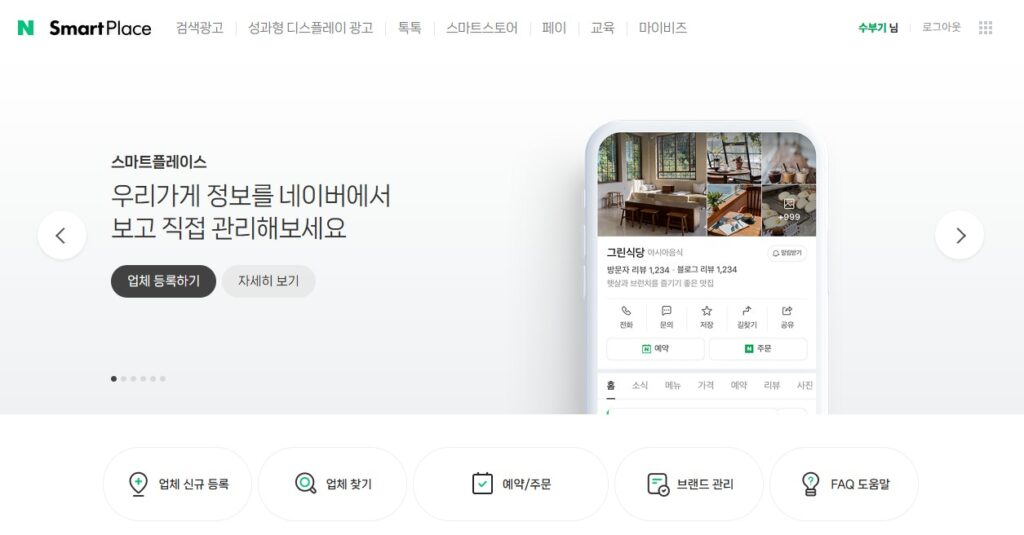
- Access & sign in to Smartplace
👉 Log in with your Naver ID.
Go to Smart Places - ‘Click the ’Create a new business' button
The [company New Register]to get started.
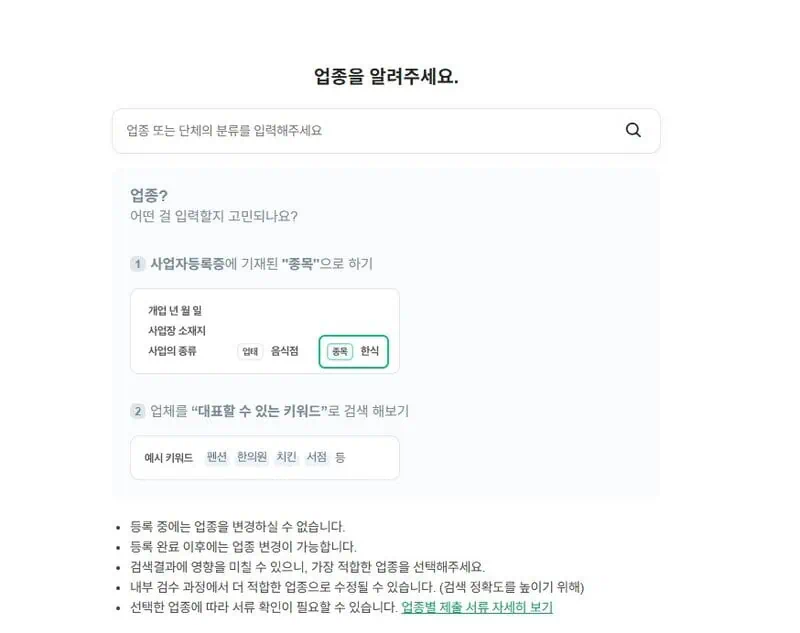
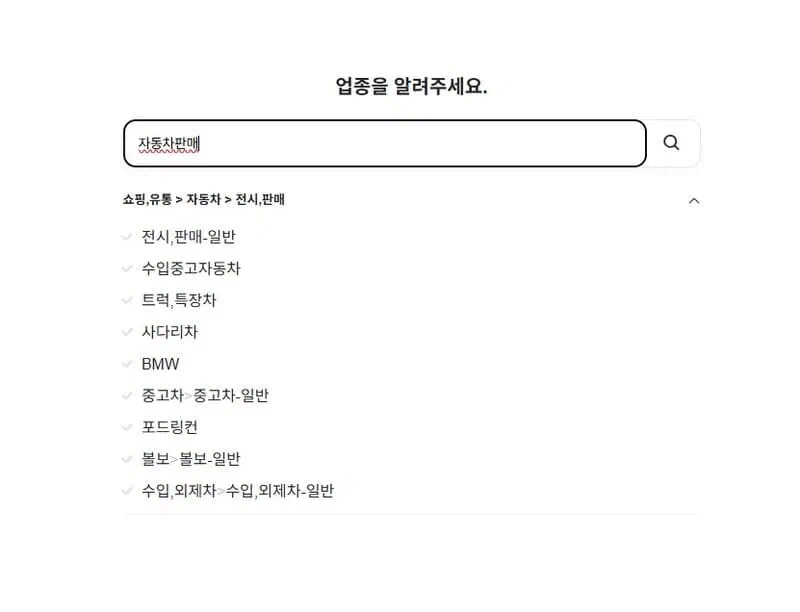
- Register your business
I searched for “cars for sale”,
▶ Display, Sales - General I've selected an industry.
For industry searches, use the Enter the correct keywordlike this.
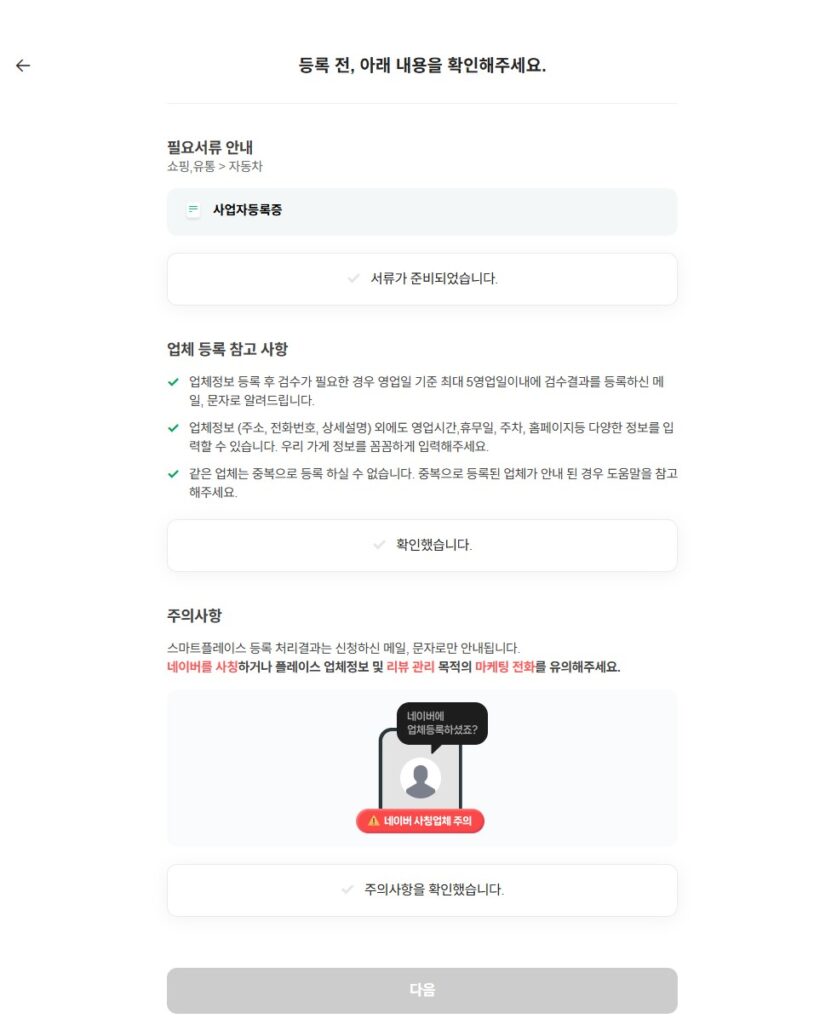
- Prepare your business license & get instructions
Before signing up, check the following.- Prepare your business license
- Smartplace enrollment notes
- Beware of NAVER impersonation smishing
For all items Check Agree and move to the next step!
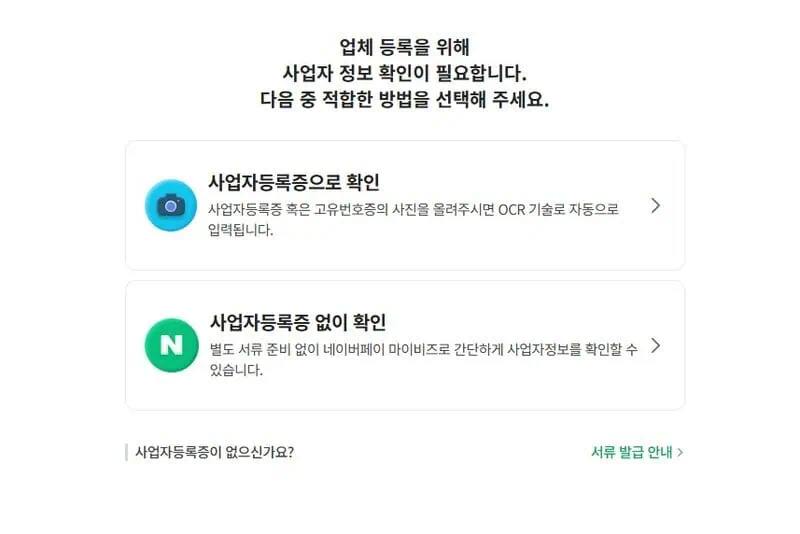
- Verify your business with a business license
I use ‘Verify with business license’in the list,
Registration Certificate Automated scanning with photosto retrieve the karmic information.
This feature was more convenient than I expected!
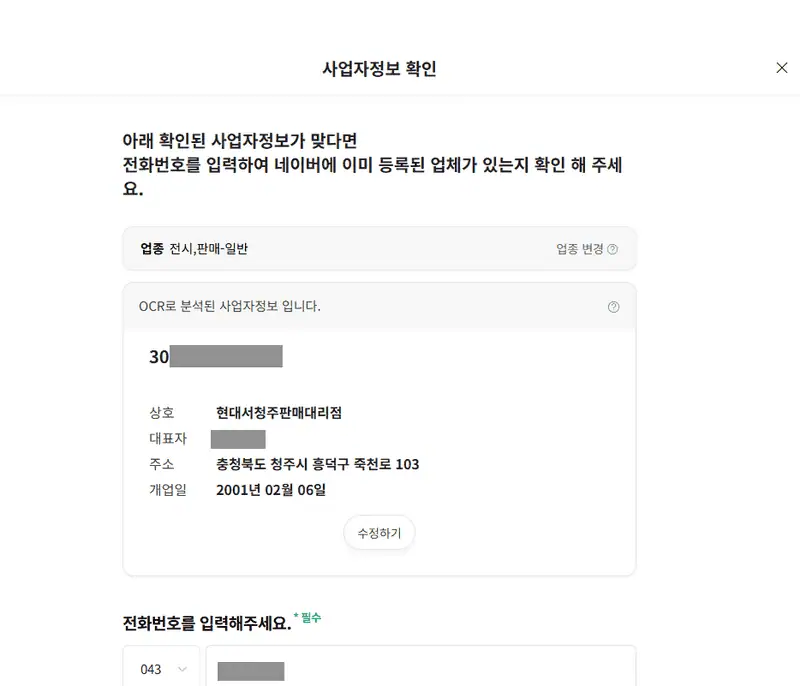
- Check for duplicates
I have an existing registered account,
‘Pressed 'Check for duplicates',
‘Register a new business’to complete the registration separately.
💡 Takeaways from our hands-on experience
- When choosing an industry, avoid categories that are too broad.
Enter the correct keywordIt's more favorable for search and matching. - Business license photos need to be clear to be recognized relatively well.
- If you manage with multiple IDs, Make sure to check for duplicate registrations!
When you're done with the registration process,
Naver will review the application and then decide whether to approve it or not. In my case, it was done quickly 🙂 .
🐢 In closing...
It's not just a simple registration process.
A place to make a first impression on your customersin the process.
I started helping my dad with his company and ended up managing the place myself,
Each piece of information contained within
I feel like a little window into the customer's world 😊.
We hope this has been helpful to you today,
And that's it!
Thank you. 😎 ðŸ






 한국어
한국어  English