
Adding YouTube music - the easiest way to add emotion to your videos

If you look at YouTube these days
Rather than just informational videos,
Soothing visuals with soothing musicare becoming more and more common.
Vlogs, AI stories, emotion journals, routine sharing...
When I look at these videos, they all have a common thread.
Right away ‘That "music" completes the mood.Answer.
But...
“I thought you couldn't put music in a video you've already posted?”
“Shouldn't I edit again?”
It's surprising how many people have this problem.
In fact, that's what I thought at first.
But it turns out,
You can add music directly from within YouTube!
Plus, it's free and copyright-free.
Today's honey is just that,
“Add YouTube Music”slowly 😊 😊 I'll explain it to you later.
🎬 Can I just add YouTube videos and music?
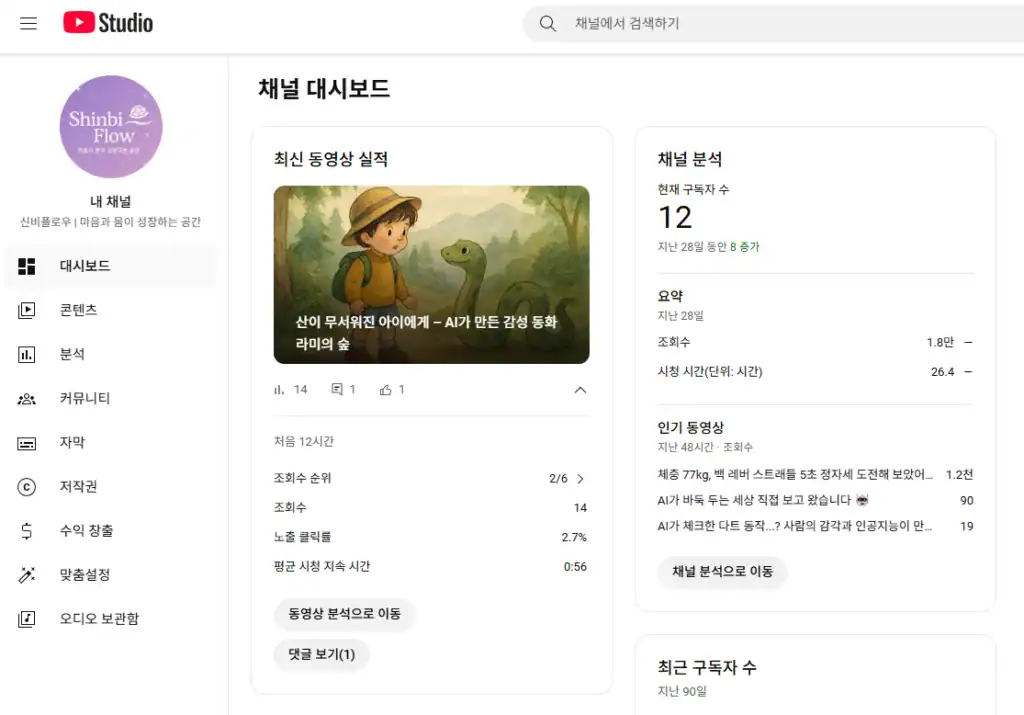
Yes, you can.
YouTube Studio offers an ‘editor feature" that you can utilize,
You can easily add music to videos you've already uploaded.
If you didn't know this, it's a really welcome feature.
In particular, the Simple shorts or emotional AI audiobooksfor those of you who make them!
✅ Adding YouTube Music - The Easiest Practical Way to Do It
I'll keep it simple and straightforward in my style 😊.
Access YouTube Studio
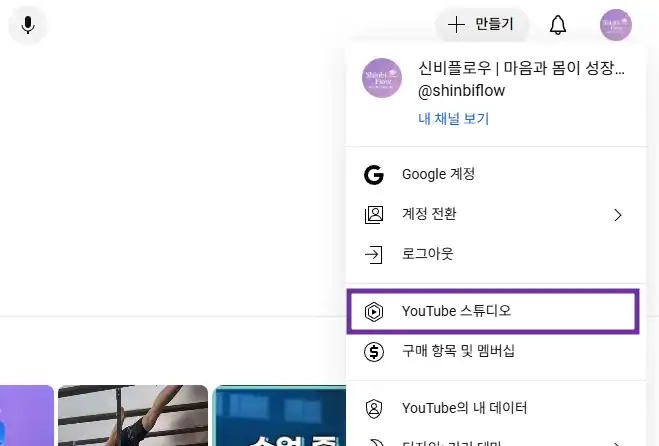
Once you're logged in to YouTube, you can go directly to the
Manage your own channels screenopens.
Click Content → Select Video → Editor
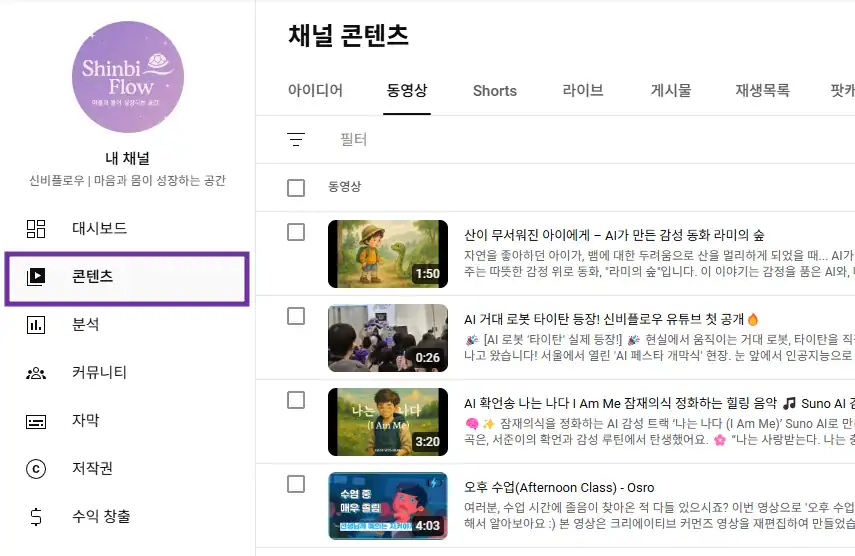
In the left menu, click Contentwhen clicked,
You'll see a list of all the videos you've uploaded so far.
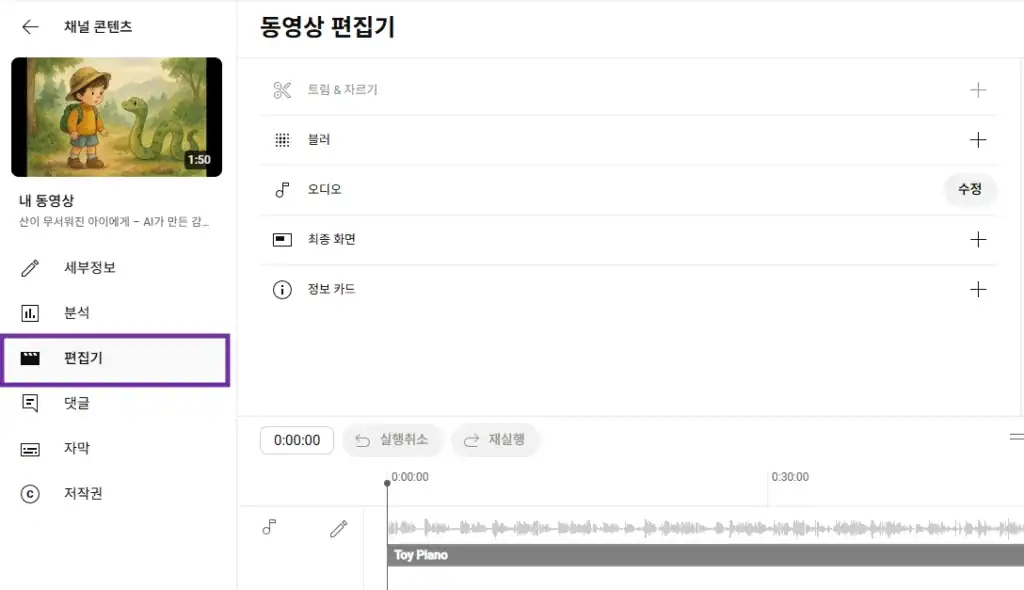
From here, select the video you want to add music to,
On the left tab, click Editor (✂️)on the left side of the screen.
③ Click Add Audio at the top
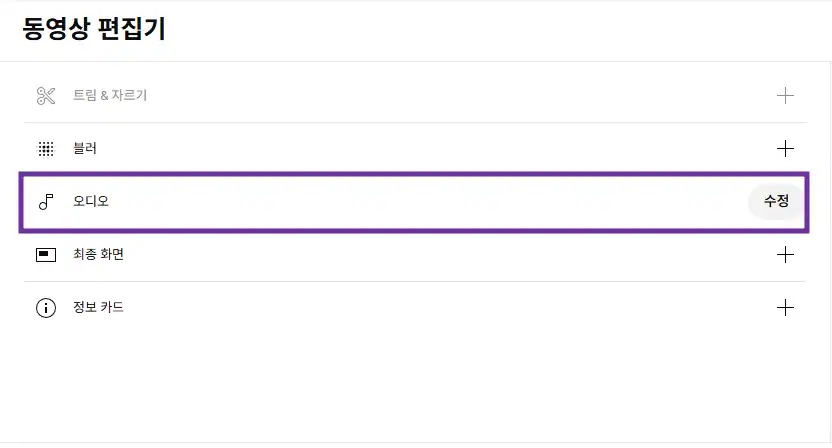
Now, if you look at the timeline at the top of the video
[Add Audio]. You should see a button.
Click here,
YouTube provides A list of thousands of free songsunfolds!
④ Choose music to set the mood
Try putting keywords in the search bar!
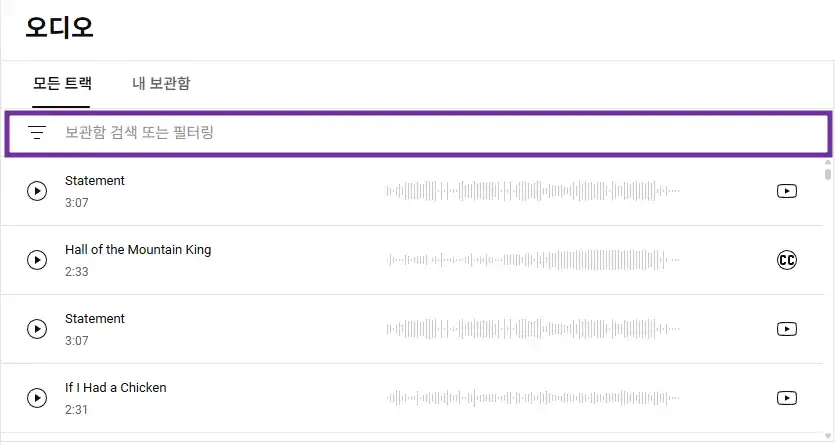
| Keyword | Mood examples |
|---|---|
| calm | Calming piano, relaxing guitar |
| emotional | Emotion Lines Deep Mood |
| storybook | Fairy tale atmosphere BGM |
| cinematic | Emotional movie feel |
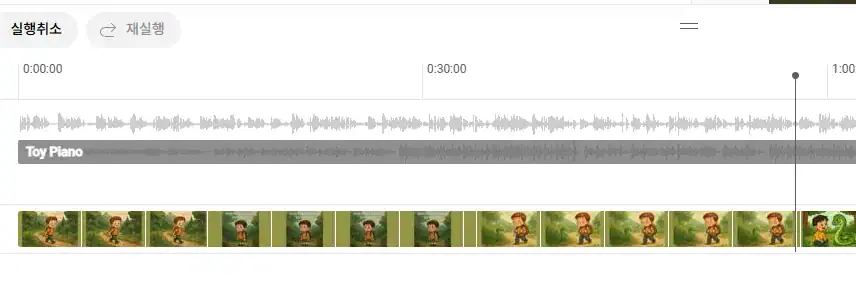
If you like the song, click
You can choose which part to put it in + adjust the length.
⑤ Adjust audio volume & position
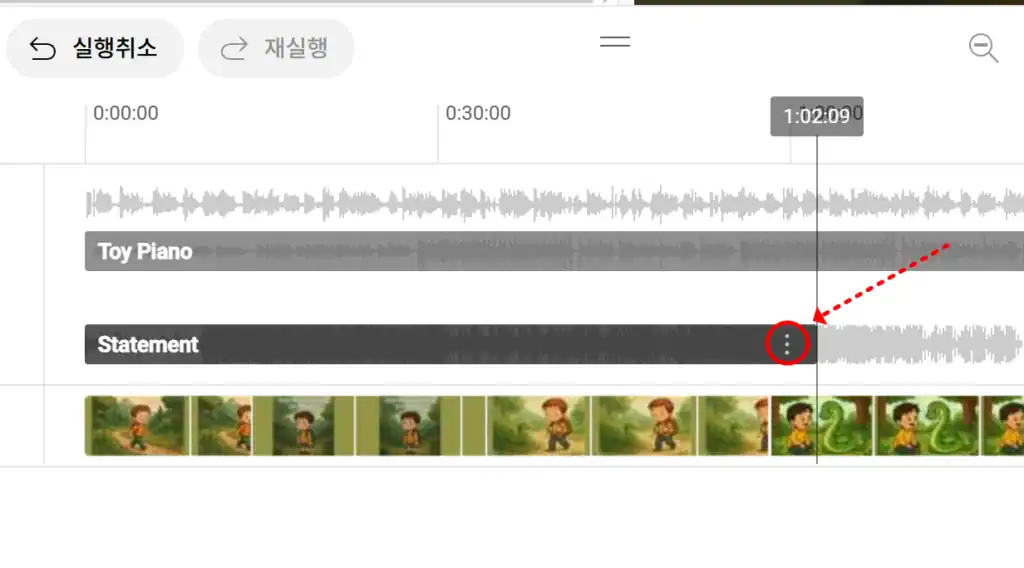
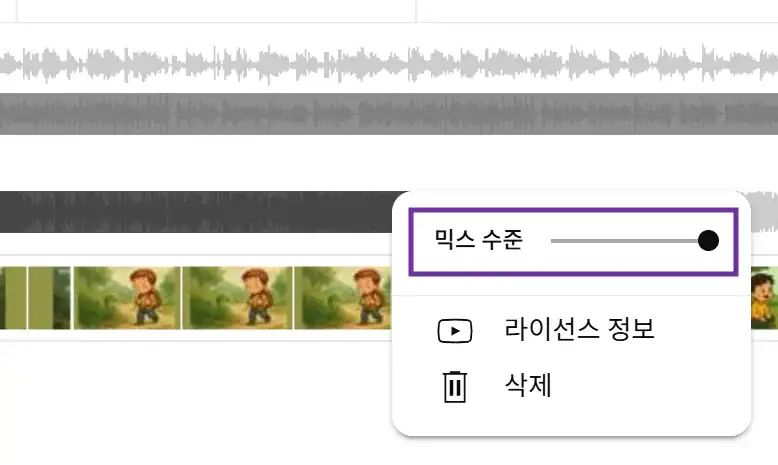
- If it's too loud, it can drown out the main voice. Lower the volume Adjust gently.
- If you only want to lay a section, you can also adjust the start and end points on the timeline.
⑥ Save (*important step!)
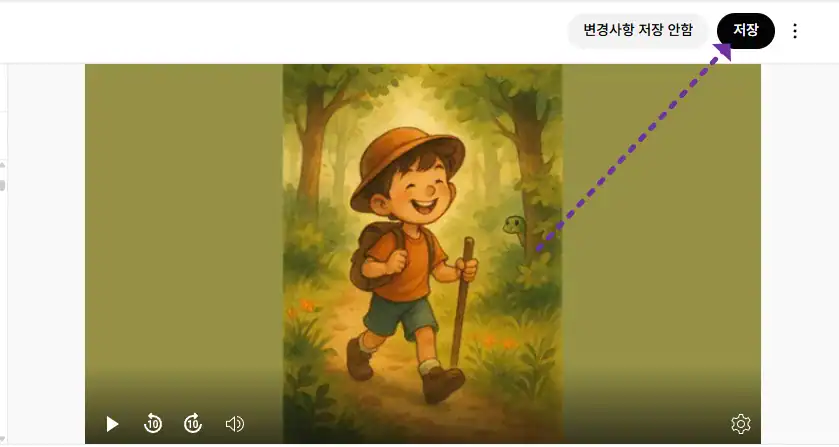
When you're done editing
In the upper right corner, click [Save buttonwill pop up, make sure to press it to make it count!
⚠️, but after saving Video is temporarily ‘processing’for example.
This usually takes a few minutes to a few hours, but if you wait, it will complete automatically.
🎧 Why is this feature important?
These days, content is
The “feel” and “emotion” are becoming more important than video quality.
No matter how good your video is
The sound is distracting and the,
Conversely, if the music is playing well It can come across as much warmer.
Especially if you're like me
People who make AI fairy tales or emotional stories into videos,
Or, if you're posting vlogs, growth stories, or meditation content, you can use the
This music insertion feature is a real must!
📌 Tips for embedding YouTube music
- You can't include music (MP3s) uploaded directly from outside.
→ Only free music from YouTube! - Inserting a background sound can only be done using the Only available in the Studio Editor
→ I don't have to re-upload it in the editing tool! - Video processing time may take a while after editing
→ Don't worry, it's not unavailable~.
🌙 In closing
A small line of music will be added to the
It can lift someone's spirits and brighten their day.
Music is more than just a backdrop,
The magical element that ‘completes" the emotion of the videois.
If you want to add emotion to your YouTube,
Be sure to try out the ‘Add YouTube Music’ feature!



 한국어
한국어  English