
If you have a newer laptop and your monitor resolution is blurry, check it out!
🎮 I bought the latest laptop, but...
“It was my old monitor!”
hello. I'm SeoJoon, the author of the Mystery Days blog.
Today I'm going to write about my experience with switching monitors.
I just switched to a newer laptop a few months ago!
It was one of those laptops where the CPU and GPU were so good, you could run all your games on it.
I bought it to do some logo design and coding work, but I was really looking forward to playing VR games.
In fact, when I connected VR to my laptop and played the game, I could feel the game come to life.
But laptops have small screens, so you have to connect them to a monitor, right?
😢 Limitations of older monitors
The one I was using supports 1920×1080 resolution in FHD.
My laptop is newer, but my monitor is older, so I've been using a blurry screen.
I just thought, “It's a big screen, so of course it's going to be blurry.”,
One day I suddenly felt like buying a monitor, haha.
🛒 QHD monitor, get it on 24-month financing!
So I bought a QHD, a step up from FHD, with 24 months of financing.
The screen size was 32 inches and the price was around $340,000.
I remember buying an FHD monitor for 300,000 won,
It seems like electronics keep getting cheaper and cheaper.
😲 A really clear screen in front of you!

But...!
Those crisp, sharp, gorgeous, colorful pixels that you could only see on your laptop screen,
It looked just as good on my 32-inch screen!
It was a really interesting experience.
“Oh... I paid over a million dollars for a laptop,
You're using an old monitor...” and then you're like, "Oh, yeah.
They saw me as so simple.
I love the screen!
I use screen captures a lot, especially for my blog posts,
The higher resolution makes for a much better image...!
🌐 Tip: We recommend 125% for internet multiplier
Another tip of mine is to use the internet at a 125% scale, since the resolution is so huge.
If you're on a small screen, you can hold down the control and rotate the mouse wheel to adjust the scale.
I'm so proud of it, and I'm looking forward to watching 4K movies in the future,
This is especially true for the ‘Kingdom Come Delivery’ Set the game to
I'm really excited to see it again in 2K resolution, which is QHD!
🔧 Easy to assemble, screwdriver not included!
Best of all, it was so simple to assemble.
In total, you only need to turn 6 screws!
But the driver is not included,
You'll need a separate screwdriver to turn the small screws.
🖥️ design? I'm happy!
Coupang reviews said that the design was not good,
I was very happy with it.
Or the ‘gawfolk" logo in the middle of the monitor,
I like the black border because it's subtle and classy.
🔌 It's easy to connect
You don't even need to install it,
Simply plug in the DP cable or HDMI cable included in the box.
DP is primarily used to connect to the computer itself,
Many say it's still better than HDMI in terms of picture quality and speed.
That doesn't mean HDMI is bad,
It doesn't matter if you're using 2K or 4K, this cable will work.
And when it comes to connecting to a laptop, HDMI is the most compatible!
😲 I plugged in the screen, and this is what it looked like!
Once you've made that connection,
Immediately, the screen went to -!
“Oh my god what is this... the refreshment is so different?!”
I realized that FHD and QHD are really a generation apart.
The world was cloudy,
It's like looking like you've just washed your face 🌿✨.
💫 Why is curved good?
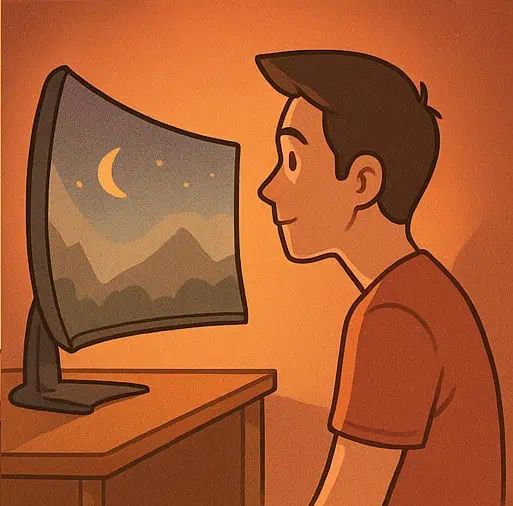
And I love that it's curved.
The screen is slightly curved, so you can see both ends naturally,
I feel more focused!
Especially when watching movies,
I find it really useful when I'm working in Excel or something.
🧡 Specs: 32-inch QHD + 180Hz!
This is what I bought
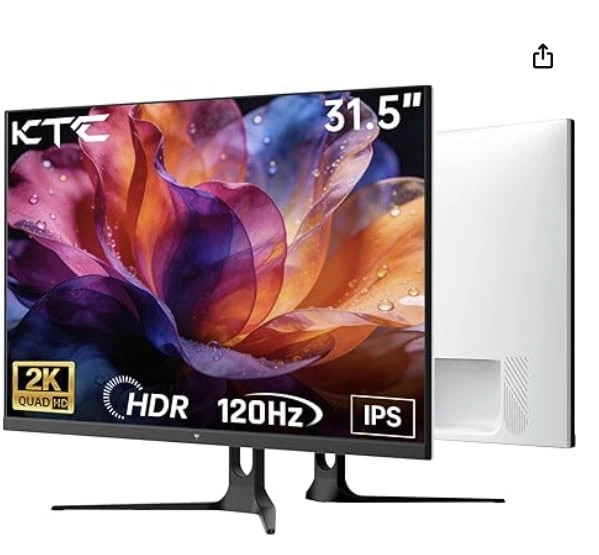
32-inch ultra-wide curved gaming monitoris,
QHD (2K) resolution with 180Hz high refresh rateto the current version.
That means...
🎮 Almost no tearing when gaming + smooth movement!
Elden Ringor Kingdom Come Delivery It's a whole new world when you're playing the same game.
It's really lifelike, especially in action scenes, and people say the immersion is ridiculous.
Oh, and my laptop is up to 144Hz for 2560×1440 (QHD) resolution.
Still, I usually only need to go above 120Hz to get very satisfying movement!
144Hz feels like a bonus...?
🧑🎨 The design doesn't disappoint either
These days, monitors are as much about design as they are about function,
It's actually pretty clean and classy.
The back of the monitor is also neatly finished, so you can use
Keep it on your desk to liven things up.
Just...
“My room suddenly feels like a high-end workshop?” 😎
💡 Summary of tips
- When connecting a DP cable High resolution & high refresh rate → Best for games and videos!
- Assembly is simpleBut prepare the driver separately!
- Internet browsers use the 125% scale factorComfortable (based on QHD screens)
- QHD maximizes clarity when working with text and images!
📝 In closing...
If you're like me and still using an older monitor,
Simply switching to a higher resolution monitor like this is enough to make Quality of life! You can go up.
I went from being like, ‘Oh, the screen, it's all there,’ to being like, "Oh, it's all there.
I wish I could whisper in the ear of my past self...
“Seo Joon, you've been living a really blurry life...lol” 😆
☕ Coupang Affiliate Link

📌 This article contains Amazon affiliate links.
If you purchase a product through the link, I may earn a small commission.
It's a huge help in running my blog 😌✨.
Thanks for reading!
If you found this article helpful Comments Once in a while, please.
Stay tuned to the Mystery Days blog to learn more about
Emotion + Information + Daily Tips I'll share often 💖
We deserve a clearer life. ✨
Thank you, we love you 😊
- From SeoJun







 한국어
한국어  English