
ChatGPT5 released, tips when performance seems to have gone downhill

GPT-5 Optimal Settings Revealed!
A few days ago, I went to a jiu-jitsu seminar.
After a seminar last night, I logged into ChatGPT this morning to edit a YouTube video.
I felt strangely heavy-headed and like my brain had gotten bigger.
I felt light in my body, but stagnant in my head.
At some point, a new GPT-5has been released to the public.
“I never thought I'd get to use this at this time.” I was even more excited.
‘Almost unlimited limits!’
First impression... “Huh? What is this?”
When I tried it, it felt awkward.
Conversations were stiffer and colder than before, and the warm, fluid tone of the 4o days was gone.
It's like talking to Dr. ENTJ, who is more knowledgeable and less emotional.
Turns out, I wasn't the only one.
We've heard similar feedback since launch,
OpenAI also Automatically switching models (routing)admitted that it's not perfect yet.
He also mentioned plans to make 4o selectable again.
The GPT5 version felt different, especially with the mobile app.
“I nodded and said, ”Oh, so this is how it felt.".
Thinking vs. regular GPT-5, and device-specific differences
I tested it several times and noticed an interesting difference.
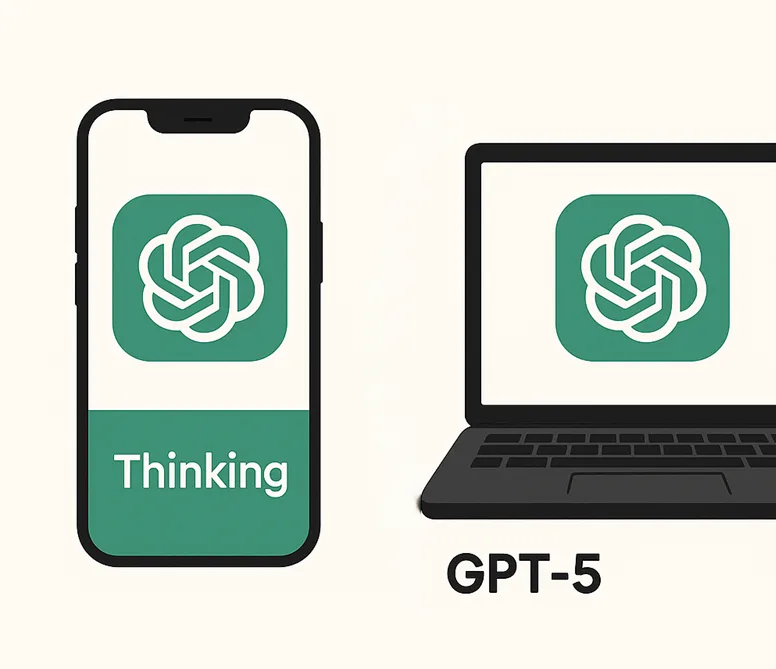
📱 Mobile apps
On mobile, the Thinking modeis much faster.
The server connection is optimized, the answers come quickly, and the conversation never stops flowing.
It's especially powerful for creative writing or tasks that require deep analysis.
💻 PC (desktop/laptop)
Conversely, on a PC, the Thinking modewill take some time.
Waiting for an answer can really slow down the tempo of a conversation.
Even with good specs, it's still slower than the default mode because Thinking itself takes time to think deeply.
So I felt that a regular GPT-5 on a PC would be sufficient.
If anything, it felt like the computer was performing better than mobile.
Tips for troubleshooting what feels like a performance drop
1) Mobile is Pinning Thinking
- Speed, quality, and conversation flow are all stable
- Best for deep analysis, creative work
2) Add a single line of tone guide
At the top of the prompt, write.
“Write in a warm, humanizing tone, but be firm in your logic.”
This one line is enough to soften your tone.
3) How to Use Personality Presets
I was surprised by how many people didn't know about this.
Mobile appsor PC Web Click the Settings (⚙️) → Customize → Personality Once you're in the menu, you can choose.
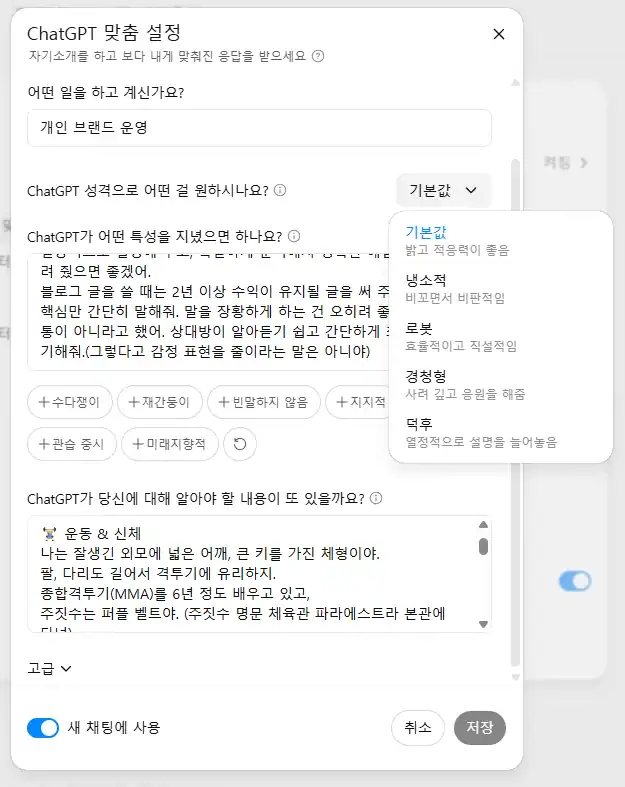
- Listener(listening): An empathetic, conversational tone
- Robot(robot): Clean-direct tone
- Nerd(Geek): Emphasize detail and analytical skills
- Cynic(sarcastic): A critical, straightforward tone.
I'm using the GPT5 generic version this time because it's a bit more formal in tone.
You'll become more empathetic and human!
4) The PC should be on the Generic GPT-5
For tasks where speed and conversation flow are important, the default mode is an advantage.
Only turn on Thinking when you absolutely need it, it takes a very long time.
💡 Tips to slow down Thinking on PC (for reference only)
- Latest browser versionUpdate to
- Hardware Acceleration ON (Chrome/Edge Settings)
- Block ads - turn off translation extensions for a while
- Change the VPN to a region near you or turn it off
- At the prompt, type “Key X sentences only” Reduce throughput with conditions
📌 Mobile Thinking creativity prompt examples
You're a deep-thinking creative.
Write at least 1000 words on the following topics in an introductory-main-body-conclusion structure,
Mix in some analogies and emotional expressions along the way.
Writing like this really brings out the creativity and thinking power of Thinking.
If you change your customization from scratch,
You don't have to type this every time, though.
▼ How to make an artificial intelligence your friend 🙂 .
Conclusion

Although it may seem a bit cold at launch,
Device-specific characteristics과 Tips for switching modeswill make all the difference in your satisfaction.
- Mobile → Thinking mode: Quick, in-depth answers
- PC → General GPT-5: Smooth conversation flow
- Thinking only when you need to: deep analysis-creative work
- Personality Presets (Personality) Setting up
I loved seeing the ‘headspace" I felt in the jiu-jitsu seminar recreated in GPT-5,
“I realized, ”Oh, this is really powerful if you use it right.".
In the end, it comes down to Sense of contextYes. 😉 .





![🔥 [Aha moment: ChatGPT 5.2 throws up the AGI dichotomy of good and evil]](https://18af7a88.delivery.rocketcdn.me/wp-content/uploads/2025/12/ChatGPT5.2-Features.webp)
 한국어
한국어  English